Before customers call, visit or buy, most of them look you up. They want five answers fast: what you do, where you are, when you're open, how to reach you, and whether you're any good. A small business website that answers all five in one scroll does more for you than a ten-page site nobody has updated since it launched.
This guide shows you how to build that website for free in an afternoon, using ContentLinks, a link page builder that works as a complete one page website for local and small businesses. It comes with opening hours, directions, WhatsApp and one-tap "save contact" built in.
Short answer: to build a free small business website, start from a business template, add your logo and a one-line description, list your services or menu, add your opening hours, location and a WhatsApp or call button, add reviews and an FAQ, then publish it at your own URL and link it from your Google Business Profile and social pages.
What a Small Business Website Has to Answer
Forget "about us" pages and mission statements for a moment. A customer on their phone is asking six practical questions:
- What do you do? One line, at the very top.
- Where are you? An address with directions, or the area you serve.
- Are you open right now? Today's hours, without making them read a table.
- How do I reach you? One tap to call, WhatsApp or email.
- What does it cost? Prices or a menu, even a starting price.
- Can I trust you? Reviews, photos of real work, how long you've been around.
Each of these maps to a block in ContentLinks, which is why a single page covers it.
Do You Need a Multi-Page Website?
For most small businesses, no. A one-page site is enough for cafes, restaurants, salons, barbers, trades, studios, consultants, agencies and shops that sell mostly in person. Our guide to the one page website builder explains why single-page sites work so well on phones.
You'll want more than one page if you need:
- A full online store with carts, stock levels and shipping for a large catalog.
- A built-in booking calendar. You can still link to your booking tool from a one-page site, which is what most salons and studios do.
- A regularly updated blog with many articles of its own.
If none of those apply, a single page you keep current will outperform a big site you don't.
How to Build a Small Business Website for Free
1. Start from a business template
Create a free account and pick a template. Three free templates suit businesses: Restaurant, Business Card and Shop. Premium adds Agency, Coach, Fitness Coach and Pro Profile. The template gives you a finished layout; replace the text and photos with yours.
2. Add your logo and one clear line
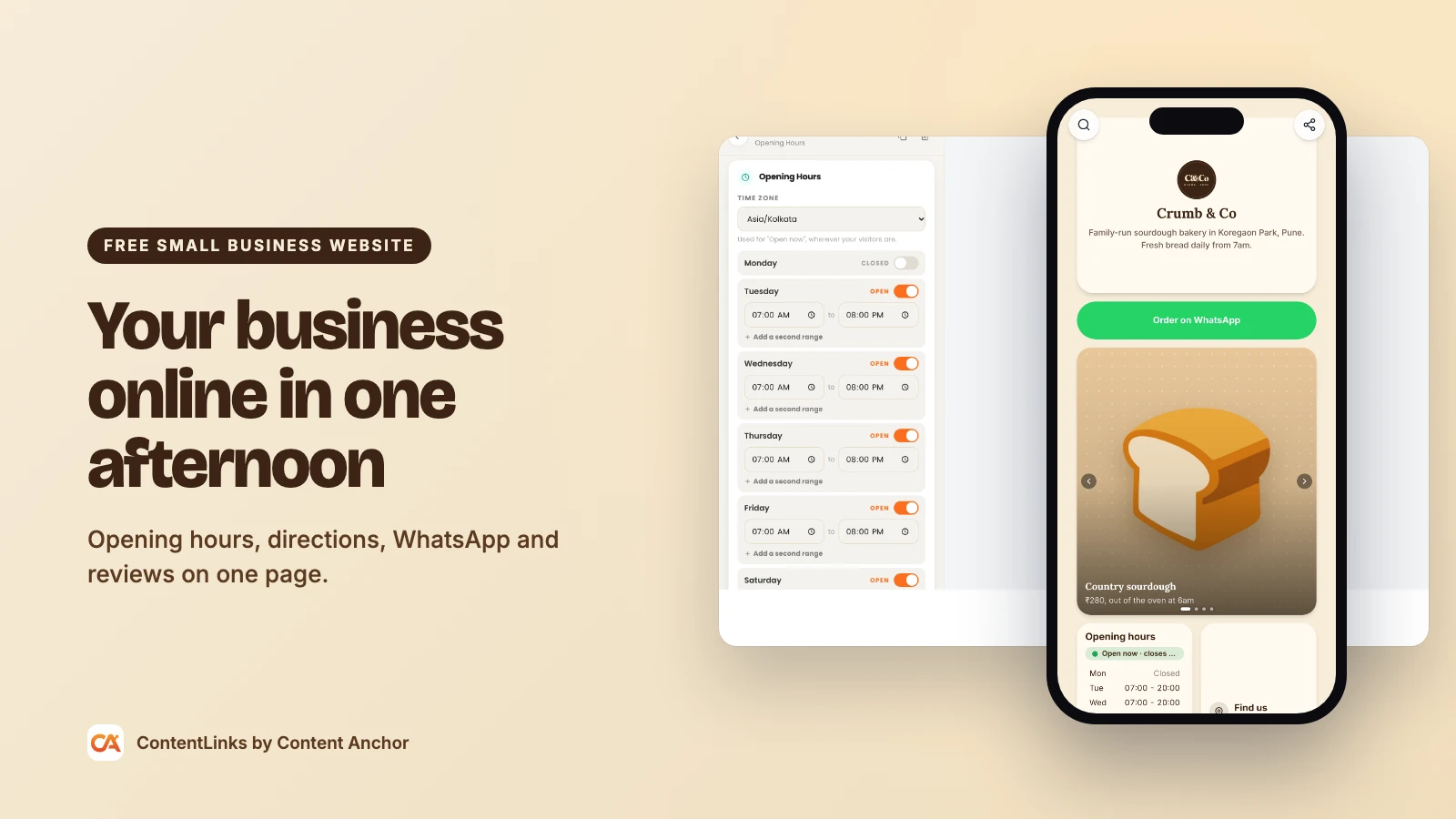
Use the Profile block for your logo, business name and a one-line description that says what you do and where. "Family-run bakery in Pune. Fresh sourdough daily from 7am." That's better than any slogan.
On Premium, the Hero Image block gives you a full-width banner header with your name over a photo of your shop, food or work. If your logo has a messy background, clean it up with the free background remover.
3. Show your services, menu or products
- Bento Blocks: a photo and title for each service, linked to more details or a booking page.
- Carousel: swipeable photos of your menu, your work or your space.
- Description: a simple list of services with starting prices.
- Product (Premium): a card with photo, price and buy button, with the discount shown automatically if you add a compare-at price.
Keep the photos real. A picture of your actual counter beats any stock photo. Compress them first with the free image compressor so the page stays fast.
4. Add your opening hours
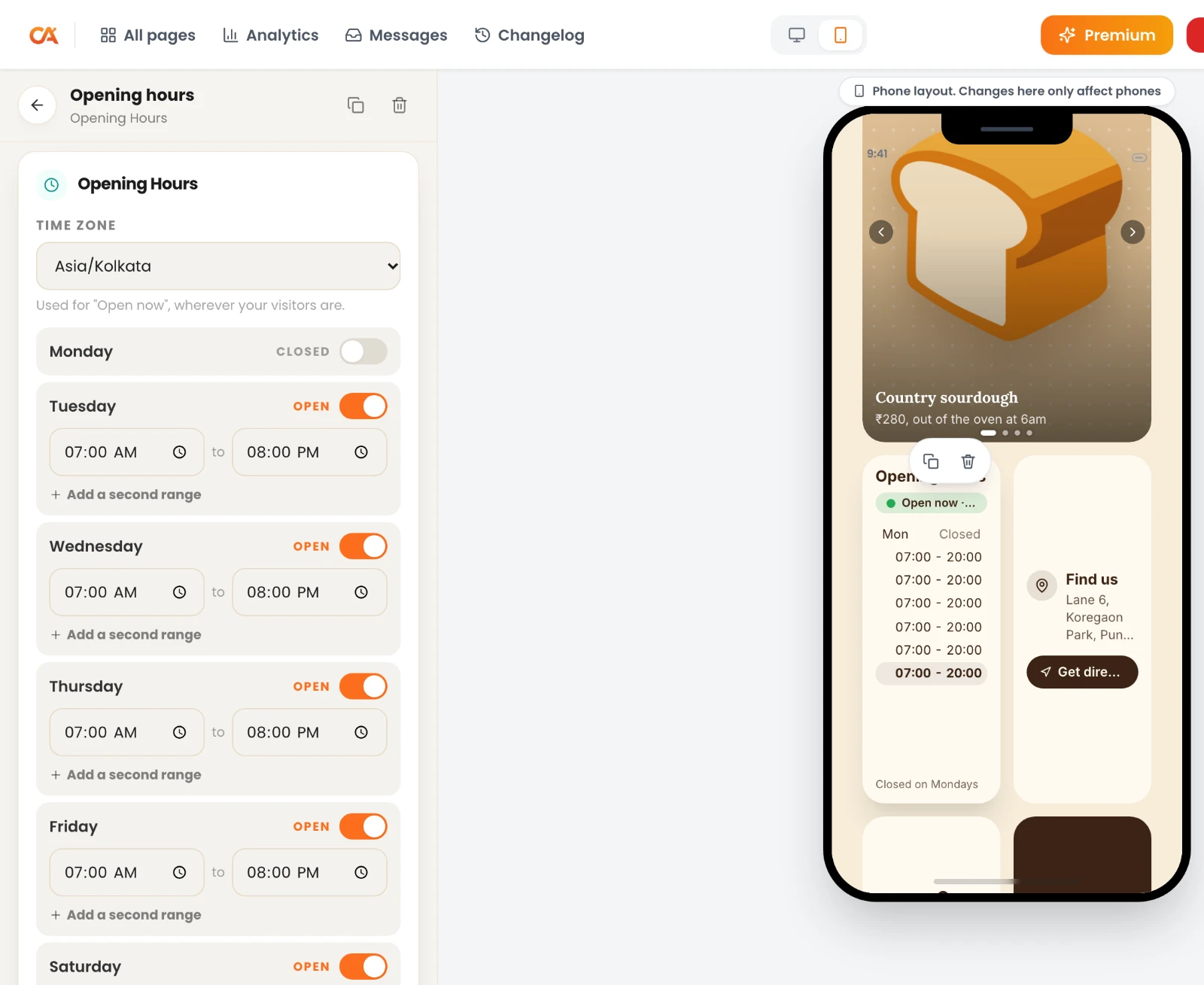
The free Opening Hours block takes your weekly schedule and shows visitors a live Open now or Closed status with the next opening or closing time. Customers no longer have to work out what day it is in your table.
Closed for a holiday? Add a free announcement bar across the top of the page: "Closed 25 and 26 December".
5. Add your location
The free Location block shows your address with a Get directions button. If you're a mobile business, like a plumber or a mobile groomer, use it for your base and describe your service area in a Description block.
6. Make contact one tap away
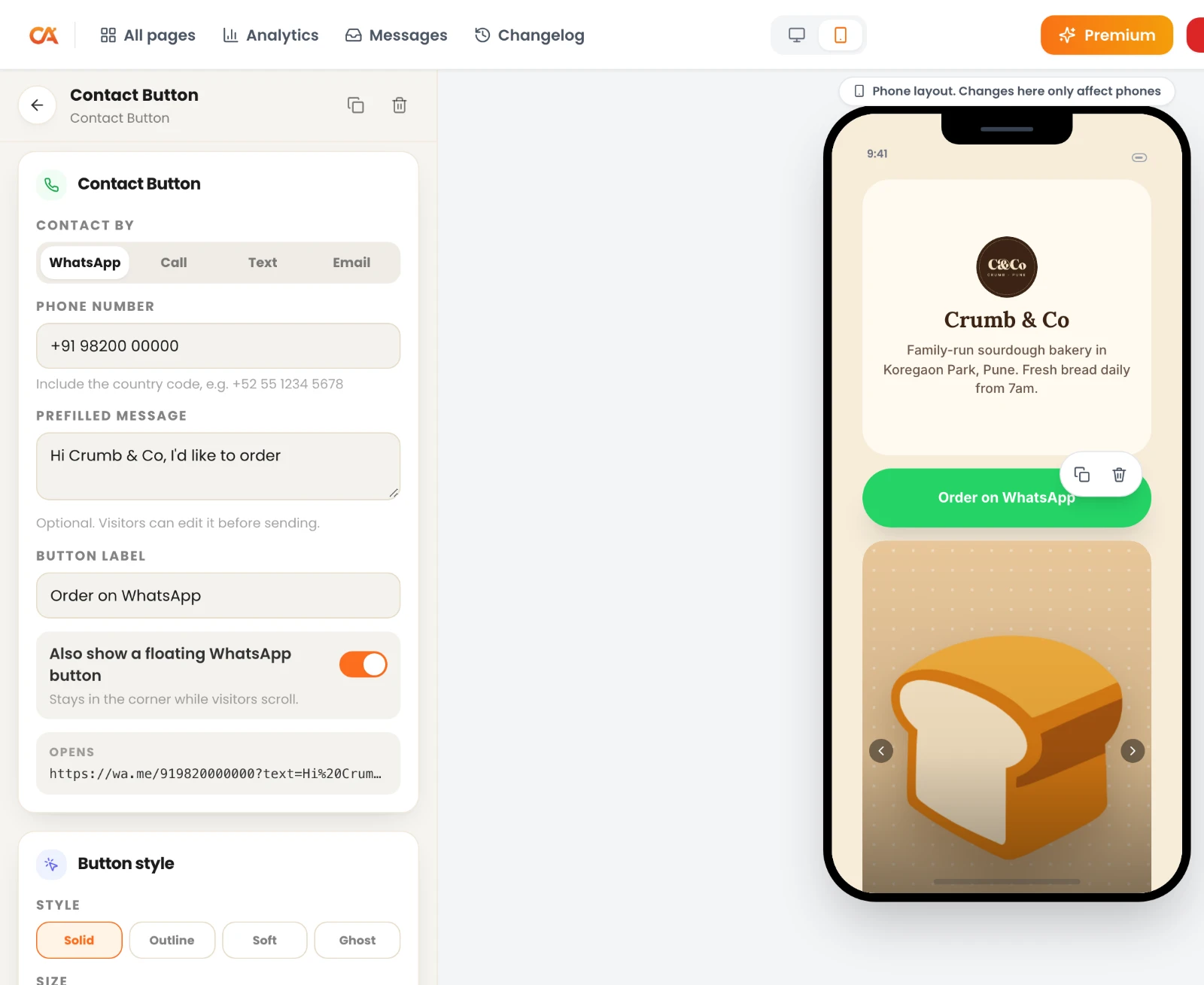
- Contact Button (free): opens WhatsApp, a phone call, a text or an email. Turn on the floating WhatsApp button and it stays in the corner of the screen while visitors scroll.
- Save Contact (free): customers add your business to their phone contacts in one tap, so they find you next time.
- Contact Form (Premium): for quotes and enquiries. Every message is emailed to you and kept in a dashboard inbox.
7. Add reviews and an FAQ
- Testimonial (Premium): star ratings with customer quotes.
- Quote (free): a single standout review.
- FAQ (free): answer the questions your staff hear every day. Parking, payment methods, delivery areas, whether you take walk-ins.
8. Publish at your own address
Choose your URL, like contentanchor.com/yourbusiness. On Premium, connect your own domain, such as yourbusiness.com, one domain per account. Then write your meta title and description in Settings and add Organization structured data so search engines understand the page is a business.
The Best Blocks for Your Type of Business
| Business | Must-have blocks | Nice extras |
|---|---|---|
| Restaurant or cafe | Opening Hours, Location, menu Carousel | Discount Code, Social Post with your reels |
| Salon or barber | Contact Button (WhatsApp), Opening Hours, Button to your booking tool | Testimonial, Carousel of your work |
| Plumber, electrician or other trade | Contact Button (call), FAQ, service area in a Description | Testimonial, Contact Form |
| Retail shop | Opening Hours, Location, Product | Discount Code, announcement bar |
| Consultant or agency | Description, Testimonial, Contact Form | Download for a brochure, Save Contact |
| Gym, studio or coach | Opening Hours, Button to your booking tool, FAQ | Countdown for challenges, Payment Link for deposits |
| Real estate agent | Save Contact, Contact Button, Carousel of listings | Contact Form, Location |
How to Get Your Small Business Website Found on Google
- Meet the indexing bar. ContentLinks pages are server-rendered, and yours can be indexed once it has your business name, a photo or logo, at least three of your own links and a URL you picked.
- Write a local meta title. A formula that works: "Service in City | Business Name", for example "Sourdough Bakery in Pune | Crumb & Co". The free meta title generator suggests versions in the right length.
- Add Organization structured data from the Settings tab.
- Put your URL in your Google Business Profile's website field, and on your Instagram, Facebook and WhatsApp Business profiles.
- Keep your name, address and phone identical everywhere. Small differences between listings confuse customers and search engines alike.
Put Your Website on the Counter: QR Codes
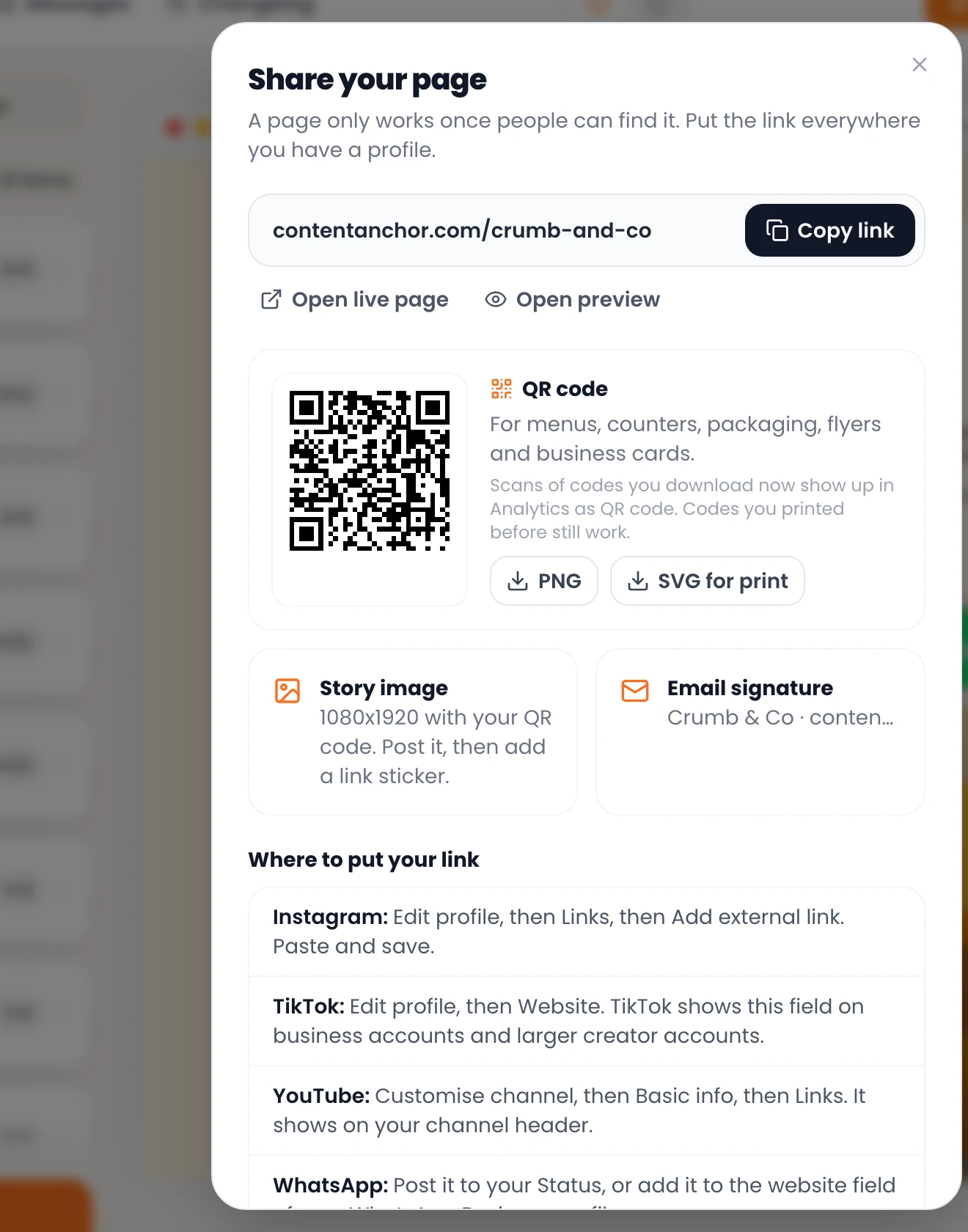
Your best traffic source might be the people already standing in your shop. The editor's share panel gives you a QR code for your page as a PNG or SVG, ready for table tents, receipts, menus, flyers and van signage. Scans are counted separately in your analytics, so you can see whether the window sticker actually works.
For styled codes with your logo, use the free QR code generator, and read our guides on adding a logo to a QR code and QR code best practices before you print. Need cards for your team? The free digital business card maker creates a contact file and QR code for each person.
Speak Your Customers' Language
ContentLinks can show the labels on your page, like "Open now", "Get directions" and "Save contact", in English, Spanish, French, Portuguese or Hindi. You can set one language, or let each visitor see their browser's language. Your own text can be in any language you write it in.
On Premium, country-aware blocks show a block only to visitors from the countries you choose. Useful for a different WhatsApp number per country or a delivery offer only in your area.
What It Costs
- Free: $0. One published page at contentanchor.com/yourbusiness, with Opening Hours, Location, Contact Button, Save Contact, Email Signup, FAQ and the other free blocks, all 160+ fonts, 10 templates, SEO settings and 7 days of analytics.
- Premium: $5 a month or $48 a year. Adds your own domain, unlimited pages, the 12 premium blocks (Contact Form, Testimonial, Product, Discount Code and more), 12 more templates, full analytics with referrers and CSV export, and no "Made with ContentLinks" badge. New accounts get 14 days of Premium free, no card needed.
If you stop paying, nothing is deleted. Your first page stays live, premium blocks are hidden, and everything comes back when you upgrade again. See the full comparison on the pricing page.
Common Small Business Website Mistakes
- Out-of-date hours. Wrong hours send customers to a locked door. Update holidays with the announcement bar.
- A phone number inside an image. Nobody can tap it. Use a Contact Button.
- No directions. An address without a directions button makes people copy and paste.
- Too many links. Your page isn't a directory. Keep the six answers above, and cut the rest.
- Only stock photos. Customers want to see your actual place, staff and work.
Frequently Asked Questions
Can I really build a small business website for free?
Yes. On the ContentLinks free plan you can publish a complete one-page business website with your services, opening hours, location, contact buttons, FAQ and your own SEO settings. You pay only for extras like your own domain, contact forms or reviews blocks.
Will a one-page website look professional?
Yes, if it's focused. The bento grid lets you mix large photos, small action tiles and carousels, and all 160+ fonts are free. Most customers prefer one clear page to a site they have to navigate.
Can I use my own domain name?
Yes, on Premium. Connect yourbusiness.com or a subdomain like shop.yourbusiness.com, one domain per account.
Can customers book appointments or order online?
Yes, through the tools you already use. Add a Button that links to your booking or ordering system. On Premium, a Payment Link block can take deposits through Stripe, PayPal, UPI and other checkouts.
Will my business website show up on Google?
It can. Once the page has your name, a logo or photo, at least three of your own links and a URL you chose, it can be indexed. Link it from your Google Business Profile to help customers and search engines connect the two.
What happens to my site if I stop paying for Premium?
Nothing is deleted. Your first page stays live, premium blocks are hidden from the public version, and any extra pages are paused until you upgrade again.
Can my website show labels in Spanish or Hindi?
Yes. Page labels can show in English, Spanish, French, Portuguese or Hindi, and you can write your own text in any language.
Get Your Business Online Today
You don't need an agency or a big budget to look established online. You need one page that answers your customers' questions faster than they can ask them. Build your free small business website with ContentLinks, or browse real link page examples first.
Running a promotion or a grand opening? Our free landing page builder guide shows how to build a single-goal page for it. Selling guides, vouchers or classes online? Read how to sell digital products from the same page.