A free portfolio website is the quickest way to stop sending people a messy folder of links. One address, your best work, and an obvious way to hire you. You don't need to code, rent hosting or scroll through hundreds of themes. You need a builder that shows your work the way it deserves to be seen, and one focused afternoon.
This guide covers what a portfolio website actually has to do, why one page is enough for most people, and how to build yours step by step with ContentLinks, the free link page builder from Content Anchor that also works as a full one page website.
Short answer: to make a free portfolio website, pick 6 to 12 of your best pieces, start from a portfolio template, write a one-line intro, lay the work out as image and video blocks, add one clear way to contact you, then publish it at your own URL and put that URL everywhere people find you.
What a Portfolio Website Needs to Do
A portfolio has three jobs, in this order:
- Prove you can do the work.
- Show the kind of work you want more of.
- Make the next step obvious.
Everything else is decoration. Most portfolio sites get the first job right and quietly fail the third. The work is there, but the email address is buried in a footer, the contact form lives on another page, and the visitor leaves to "come back later". They rarely come back.
The person opening your portfolio is usually deciding one thing: should I keep talking to this person? They scroll, they tap two or three projects, and they either reach out or close the tab. Your portfolio should be built for that scroll.
Why a One-Page Portfolio Is Enough for Most People
A multi-page site made sense when portfolios were read on desktops by people with time to click around. Today most of your visitors arrive from a phone, often straight from your Instagram, LinkedIn or a job application.
A single page wins on that phone for a few reasons:
- Nothing to get lost in. No menu, no "Work" page, no "About" page. Everything is one scroll away.
- It loads fast. One page, fewer requests, less waiting on mobile data.
- It's easy to keep current. You'll actually update one page. Ten pages go stale.
- It doubles as your link in bio. The same URL can sit in your social profiles, your email signature and your CV.
If you want the bigger picture on single-page sites in general, our guide to the one page website builder covers when they work and when they don't.
There are honest exceptions. If every project needs a long case study (common for UX designers applying to large companies), keep those case studies as separate documents or pages and link to them from your portfolio. The portfolio becomes the front door, and that's still one page.
Where your portfolio can live
| Option | Cost to start | Your own layout | Your own URL | Clear hire button |
|---|---|---|---|---|
| Portfolio community profile (Behance, Dribbble) | Free | No, their layout | No, a profile on their site | Messages through the platform |
| General website builder | Free plans usually carry ads or a subdomain | Yes | Usually on a paid plan | Yes, if you build one |
| One-page portfolio on ContentLinks | Free | Yes, a drag-and-drop bento grid | contentanchor.com/yourname free, your own domain on Premium | Yes, built in |
How to Make a Free Portfolio Website in 7 Steps
1. Choose 6 to 12 pieces, not everything
Pick the work you're proudest of and the work closest to what you want to be paid for next. If you're a designer who wants more brand identity projects, lead with brand identity, even if most of your past work was social posts.
For each piece, write one line: the problem, what you did, and the result. "Rebranded a family bakery; sales at the new counter up 30% in two months" beats "Bakery branding".
2. Start from a portfolio template
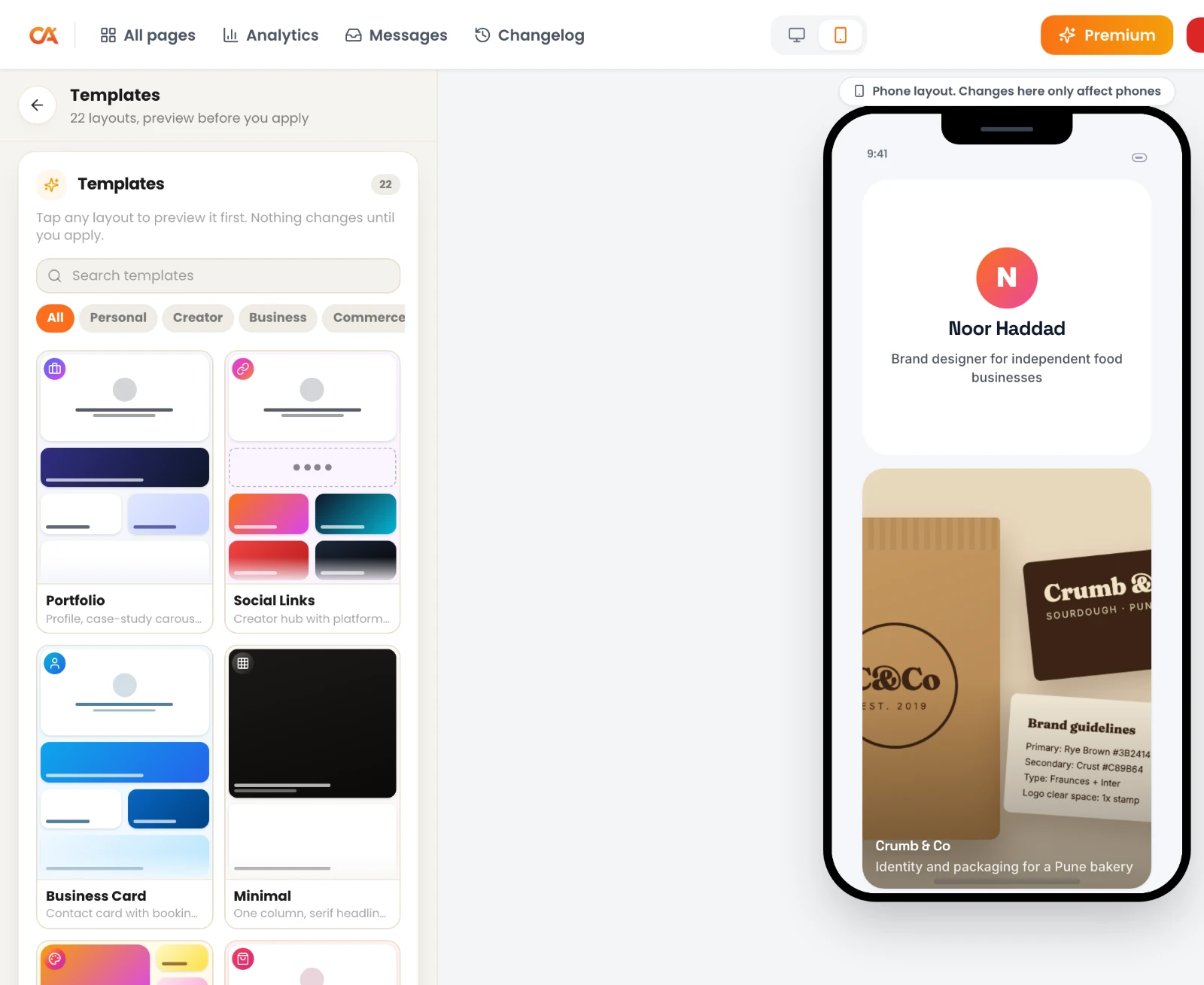
Sign up free and pick a template. ContentLinks has 22 templates, 10 of them free. For portfolios, start with Portfolio or Creative Grid on the free plan. Premium adds Photographer, Pro Resume, Developer and Agency, which are laid out for those jobs.
A template fills in the layout, colors and placeholder copy. Swap in your own work and words and it stops looking like a template within minutes. You can browse finished layouts in the link page examples.
3. Write a header that says what you do
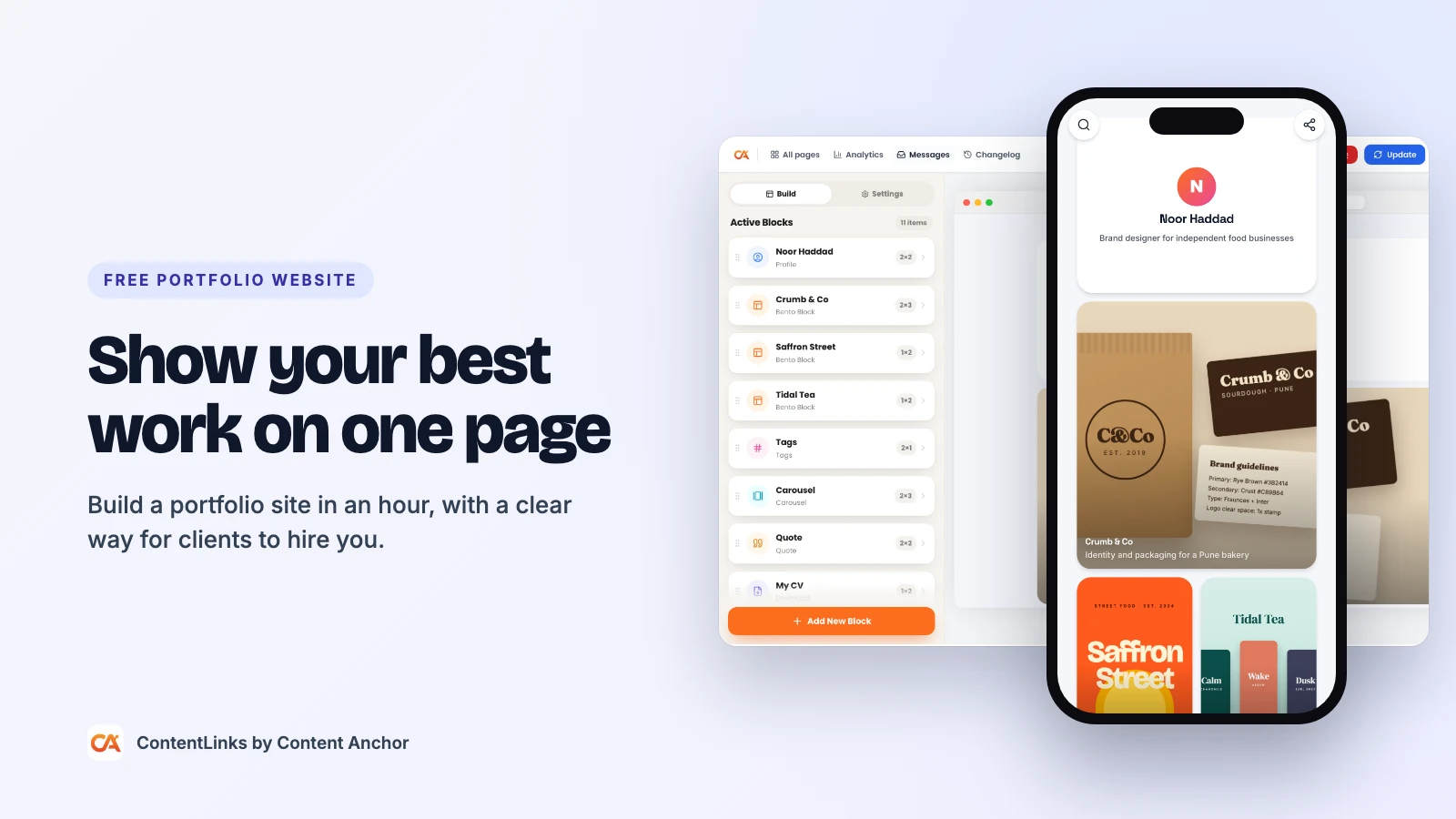
Use the Profile block for a round photo, your name and a short bio. A formula that works:
[Role] who [does what] for [who]. For example: "Brand designer who builds identities for independent food businesses."
Stuck on the wording? The free AI bio generator gives you five versions to start from, and our guide on how to write a social media bio explains what makes a short bio land. Need a clean headshot? Cut out the background with the free background remover.
On Premium, the Hero Image block gives you a banner, cutout or shape header instead of a round photo, which suits photographers and illustrators.
4. Lay out your work on the bento grid
This is where a bento grid beats a stack of buttons. Every block can be resized, so your best project can take up a big tile while smaller pieces sit beside it.
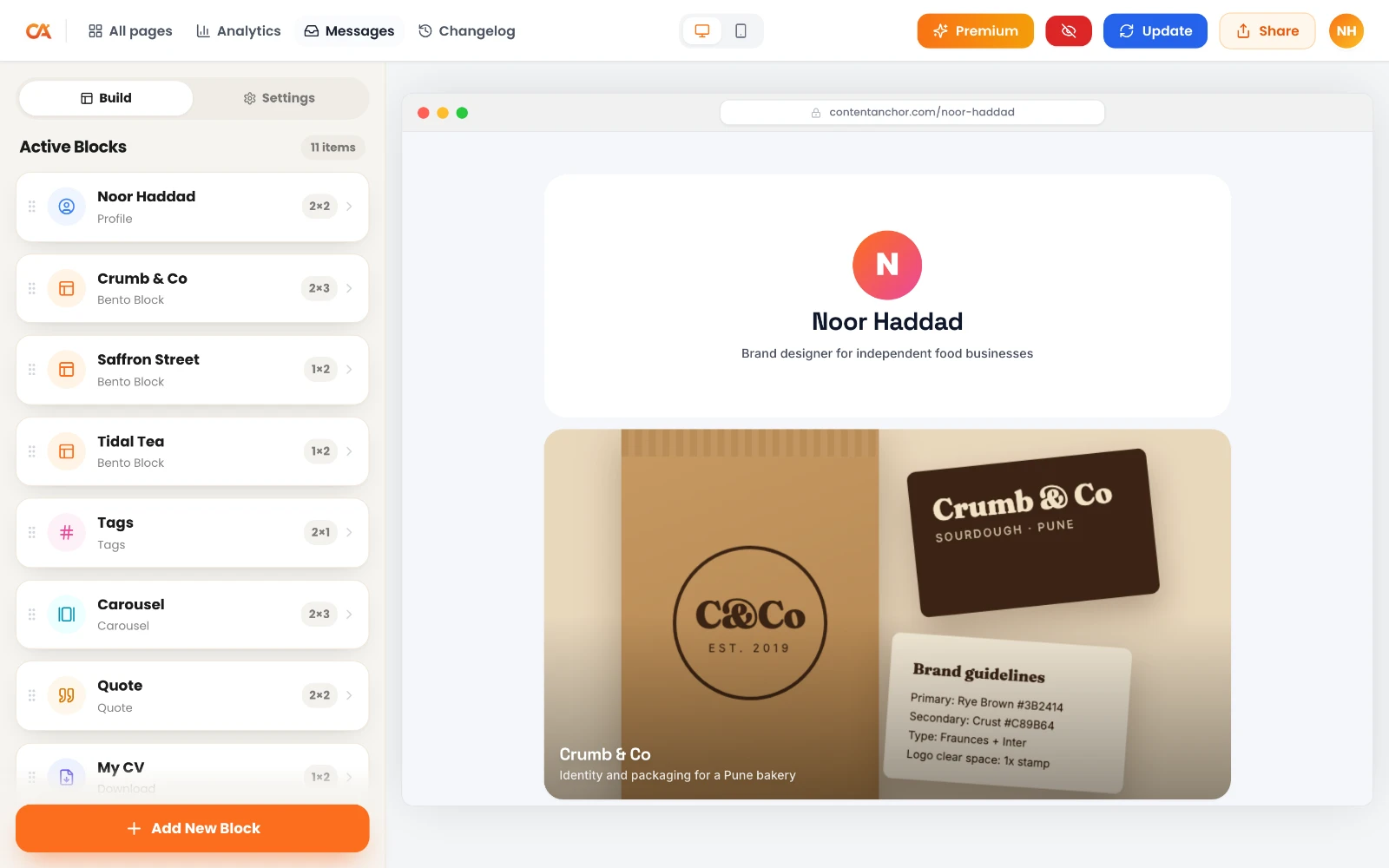
- Bento Block: an image card with a title that links to the full project, a case study or a live site.
- Carousel: swipeable slides for a series, a process story or before and after shots.
- Social Post: embed a post or video from YouTube, Vimeo, TikTok, Instagram, Pinterest, LinkedIn, X, Threads, Bluesky, Reddit, Spotify, Facebook or Patreon.
- Latest: shows your newest YouTube video, podcast episode or blog post from an RSS feed, and updates itself, so your portfolio never looks abandoned.
Keep images light. Run them through the free image compressor first, and see our image optimization checklist if you're unsure which size and format to use.
5. Add proof
Proof is what turns "nice work" into "let's book a call".
- Quote block (free): a line from a client or manager, with their name.
- Testimonial block (Premium): a star rating with a quote.
- Tags block (Premium): skill chips like "Figma", "Motion", "Packaging".
- Client logos as small image tiles in a row.
6. Make it easy to hire you
Put the contact option near the top and at the end. Pick the one that matches how you like to be contacted:
- Button: "Book a call", "Email me" or "See my rates", linked anywhere.
- Contact Button (free): opens WhatsApp, a call, a text or an email in one tap.
- Save Contact (free): visitors add your details to their phone contacts in one tap.
- Contact Form (Premium): messages are emailed to you and kept in an inbox in your dashboard.
- Download (Premium): attach your CV or a PDF case study, up to 25 MB. Shrink big PDFs first with the free PDF compressor.
7. Publish at your own URL
Choose your address in Settings, for example contentanchor.com/yourname. On Premium you can connect your own domain, like yourname.com or work.yourname.com.
Then share it. The editor's share panel gives you a QR code (PNG or SVG) for business cards and slides, and a ready-made Story image. Put the link in your LinkedIn Featured section, your GitHub profile, your email signature (the free email signature generator helps) and every social bio.
Portfolio Layout Ideas by Profession
| You are a | Lead with | Blocks that help most |
|---|---|---|
| Graphic or brand designer | 3 to 4 large project tiles | Bento Blocks, Carousel, Testimonial |
| Photographer | One striking image, then a grid | Hero Image, Carousel, Contact Form |
| Video editor or filmmaker | Your showreel at the top | Social Post (YouTube or Vimeo), Latest |
| Writer or journalist | Bylines with publication names | Bento Blocks with link previews, Latest (RSS), Quote |
| Developer | Projects with live links | Code, Tags, Download (CV) |
| UGC creator or influencer | Your best-performing posts | Social Post (TikTok, Instagram), Download (media kit) |
| Student or job seeker | 3 strong projects and your CV | Description, Download, Save Contact |
What to Put on a Portfolio Website: Checklist
- Your name and the role you want to be hired for
- A real photo or a clear logo
- 6 to 12 projects, best first
- One line per project: problem, what you did, result
- Proof: a quote, a rating or client logos
- A contact option near the top and at the end
- Your social profiles as round badges (the free Social Badges block)
- Your CV or a PDF case study, if your field expects one
- A short, clean URL you can say out loud
How to Get Your Portfolio Found on Google
A portfolio that only works when you send the link is half a portfolio. Here's how to let search engines find it too.
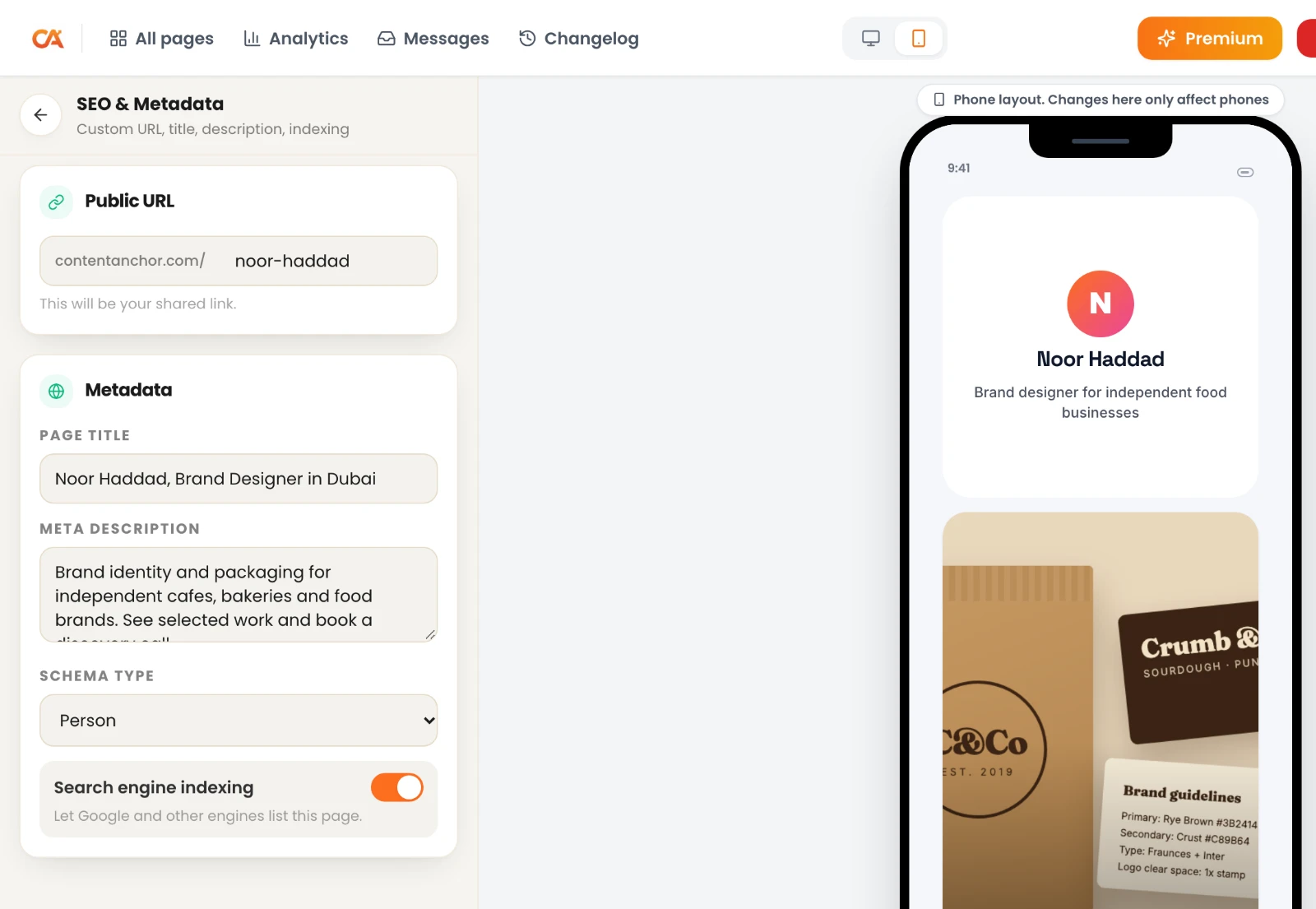
- Write your own meta title and description in Settings. A simple formula: "Name, Role in City". For example, "Priya Nair, Brand Designer in Bengaluru". The free meta title generator suggests variations.
- Add Person structured data from the same Settings tab, so search engines understand the page is about you.
- Meet the indexing bar. ContentLinks pages are server-rendered, and a page can be indexed once it has your name, a photo, at least three of your own links and a URL you picked.
- Link to it from everywhere you already rank: LinkedIn, GitHub, Behance, your guest posts.
Common Portfolio Mistakes
- Showing everything. Ten average projects hide two great ones.
- Hiding the contact. If someone has to hunt for your email, they won't.
- Old work at the top. Use the Latest block so your newest video or article appears without you touching the page.
- Huge image files. A 6 MB hero image on mobile data is a closed tab.
- A generic bio. "Creative person passionate about design" describes everyone. Say what you make and for whom.
Free vs Premium for a Portfolio
The free plan gives you one published page with 18 block types, all 160+ fonts, 10 templates, 23 wallpapers, the SEO settings and 7 days of analytics. That's enough for a complete, good-looking portfolio.
Premium is $5 a month or $48 a year and adds your own domain, unlimited pages, the 12 premium blocks (including Testimonial, Contact Form, Download, Tags and Hero Image), 12 more templates, the AI page builder, version history, full analytics and no "Made with ContentLinks" badge. New accounts get 14 days of Premium free, no card needed. Full details are on the pricing page.
Frequently Asked Questions
Can I make a portfolio website for free?
Yes. With ContentLinks you can build and publish a complete portfolio on the free plan, at contentanchor.com/yourname, with image cards, carousels, video embeds, a contact button and your own SEO settings. You only pay if you want extras like your own domain or a contact form.
Is a link in bio page good enough as a portfolio?
A plain list of buttons isn't. A link page built on a bento grid is a different thing: you can show large images, embed videos, add proof and a contact form, and write your own meta title for Google. At that point it is a portfolio website that also happens to work in your bio. Read what a link in bio tool is if you want the background.
Can I use my own domain for my portfolio?
Yes, on Premium. You can connect a root domain like yourname.com or a subdomain like work.yourname.com, one domain per account.
Can I add my resume as a PDF?
Yes. The Premium Download block lets visitors download a file up to 25 MB, such as a PDF CV or case study. On the free plan you can link a Button to a PDF hosted elsewhere.
How many projects should a portfolio website have?
Between 6 and 12 for most people. Fewer than 6 can look thin, and more than 12 usually means weaker pieces are diluting strong ones.
Will my portfolio show up on Google?
It can. Once your page has your name, a photo, at least three of your own links and a URL you chose, it can be indexed. You control the meta title, description and Person schema, and you can switch indexing off if you'd rather keep it private.
Do I need to know how to code?
No. You drag blocks onto a grid, type into them and press publish. Developers who want to show code can use the Premium Code block for snippets or live embeds.
Build Your Portfolio Today
Your next client or employer is going to look you up either way. Give them one page that shows your best work and makes it easy to say yes. Start your free portfolio on ContentLinks, or see everything the link page builder can do first.
If you also sell what you make, read our guide on how to sell digital products from the same page. Launching something specific? Our free landing page builder guide shows how to build a single-goal page for it.