
TikTok gives you a small space for a clickable link on your profile, and not everyone gets it on day one. This guide covers who can add one, how to do it in under a minute, what to do when the option is missing, and what to put behind the link so the tap is worth it.
Short answer: in the TikTok app, go to Profile, tap Edit profile, then tap Add next to Links and paste your address. You need at least 1,000 followers or a verified business account to see that option. Most creators link to a link in bio page, so one link can lead to their newest video, shop, newsletter and other profiles.
Who Can Add a Link to Their TikTok Bio?
TikTok's help center says you can add a website link to your profile if you have at least 1,000 followers, or if you have a verified business account.
| Your account | Can you add a bio link? |
|---|---|
| Personal account, under 1,000 followers | Not yet |
| Personal account, 1,000 followers or more | Yes |
| Business account that TikTok has verified | Yes, whatever your follower count |
| Business account that isn't verified yet | Not until verification is done |
TikTok changes these rules from time to time, and features can roll out differently by country. The quickest check is to open Edit profile and look for the Links section.
How to Add a Link to Your TikTok Bio, Step by Step
- Open the TikTok app and tap Profile at the bottom of the screen.
- Tap Edit profile.
- Next to Links, tap Add.
- Paste the full address, starting with https://, and save.
That's it. Open your profile from another account, or ask a friend, and tap the link to check it opens the right page.
TikTok's help center describes these steps in the app, so do this on your phone rather than in a browser.
Can't See the Links Option? Here's Why
- You're under 1,000 followers on a personal account. The option appears once you pass the threshold.
- Your business account isn't verified yet. Switching account type alone doesn't unlock it.
- Your app is out of date. Update TikTok and check Edit profile again.
- The address won't save. Paste the complete URL, including https://, with no spaces before or after it.
What to do until you qualify
You can still send people somewhere while you grow:
- Write a short address in your bio text. It won't be clickable, but contentanchor.com/yourname is easy to read and type. Keep it short enough to say out loud.
- Say it in your videos. "Search for me on YouTube" or "the recipe is on my Instagram" works when your other profiles do have links.
- Use the platforms where links already work. Instagram allows up to five profile links, and YouTube allows up to 14 on your channel. Our guides on adding a link to your Instagram bio and adding links to your YouTube channel cover both.
Are Links in TikTok Captions and Comments Clickable?
No. A web address typed into a caption or a comment shows as plain text, which is why "link in bio" became a TikTok habit. Your profile link is the one place a viewer can tap through, so it deserves some thought.
What to Link to From Your TikTok Bio
You get one spot, so most creators don't link to a single product or video. They link to a link in bio page: one page that holds everything a viewer might want next. If the idea is new, here's what a link in bio tool is.
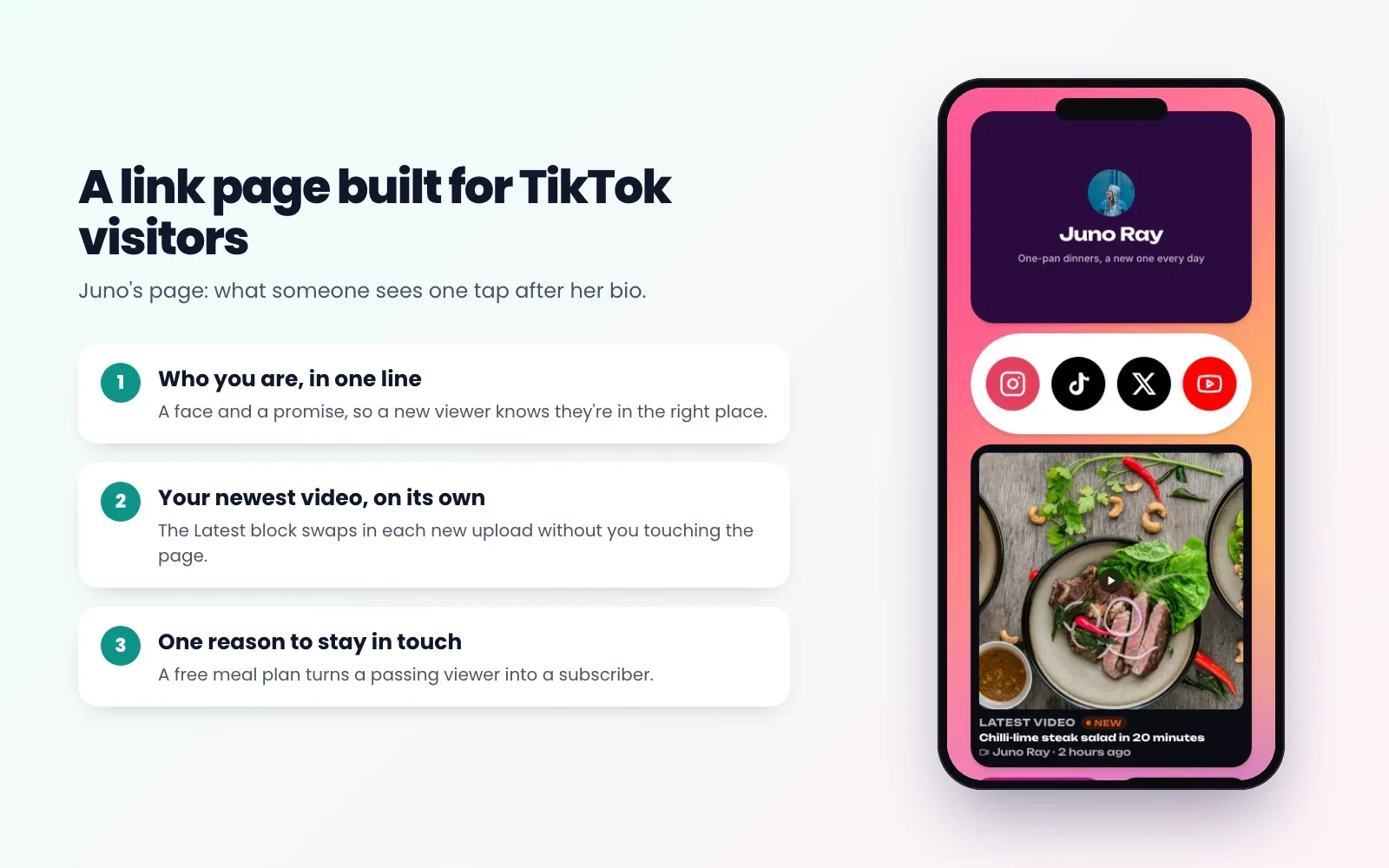
A good TikTok link page does three things:
- Confirms they're in the right place. Your face, your name, and one line about what you make.
- Shows the thing you just mentioned. If your video says "full recipe in my bio", the recipe has to be the first thing they see.
- Gives them a reason to stay in touch. A newsletter, a free guide or a discount turns a passing viewer into someone you can reach again.
Remember who's tapping
People arriving from TikTok are on a phone, inside TikTok's own browser, and one swipe away from leaving. That means:
- Big, obvious buttons. Thumbs, not mouse pointers.
- The most important thing at the top. Nobody scrolls to find the link you promised.
- A page that loads fast. Heavy pages lose people on mobile data.
- No dead ends. Every block should lead somewhere useful.
How to Build a TikTok Link in Bio Page With ContentLinks
ContentLinks is Content Anchor's free link in bio tool. Here's how to set up a page for TikTok traffic in about ten minutes.
- Claim your address. Sign up free and pick contentanchor.com/yourname.
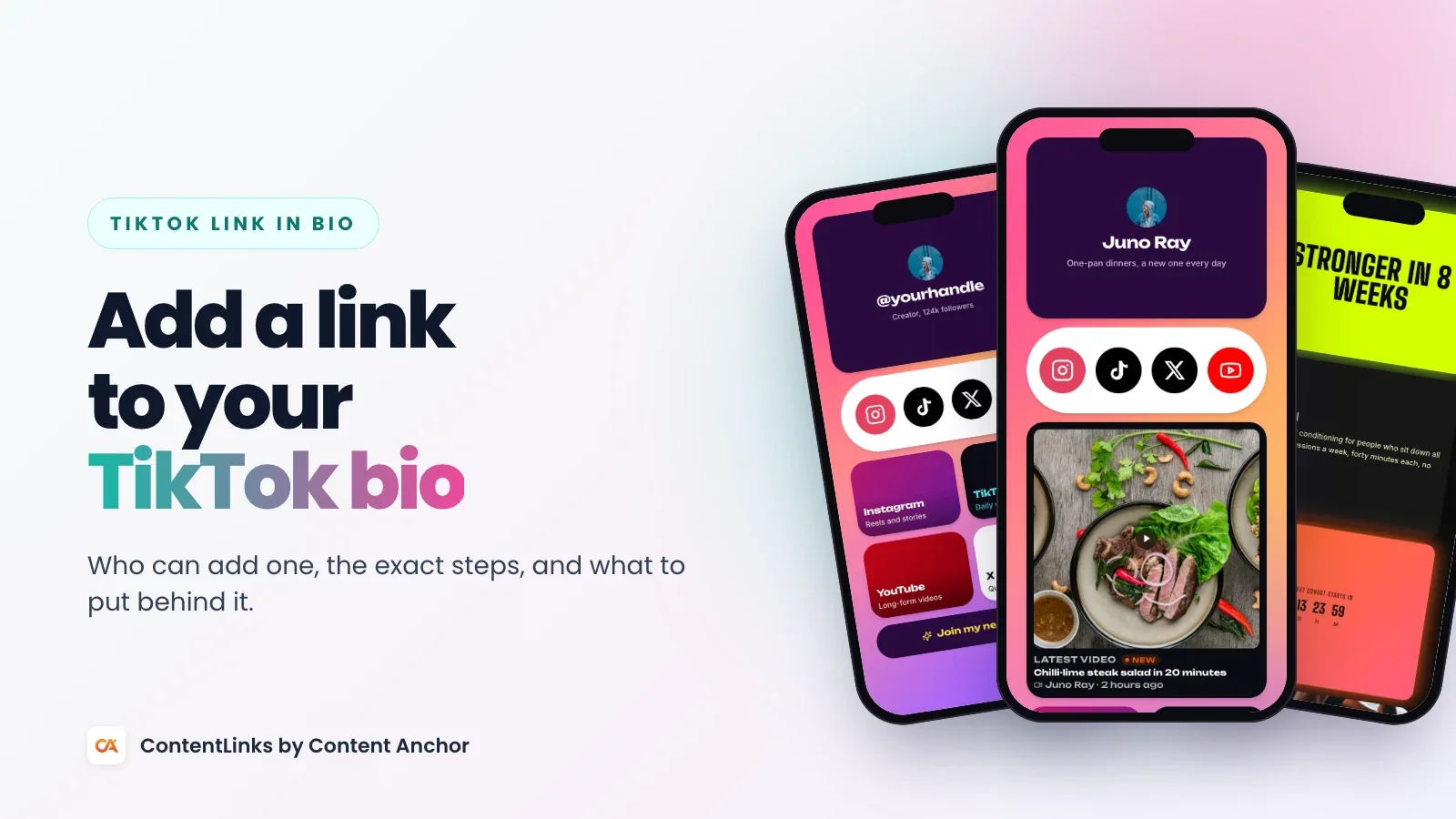
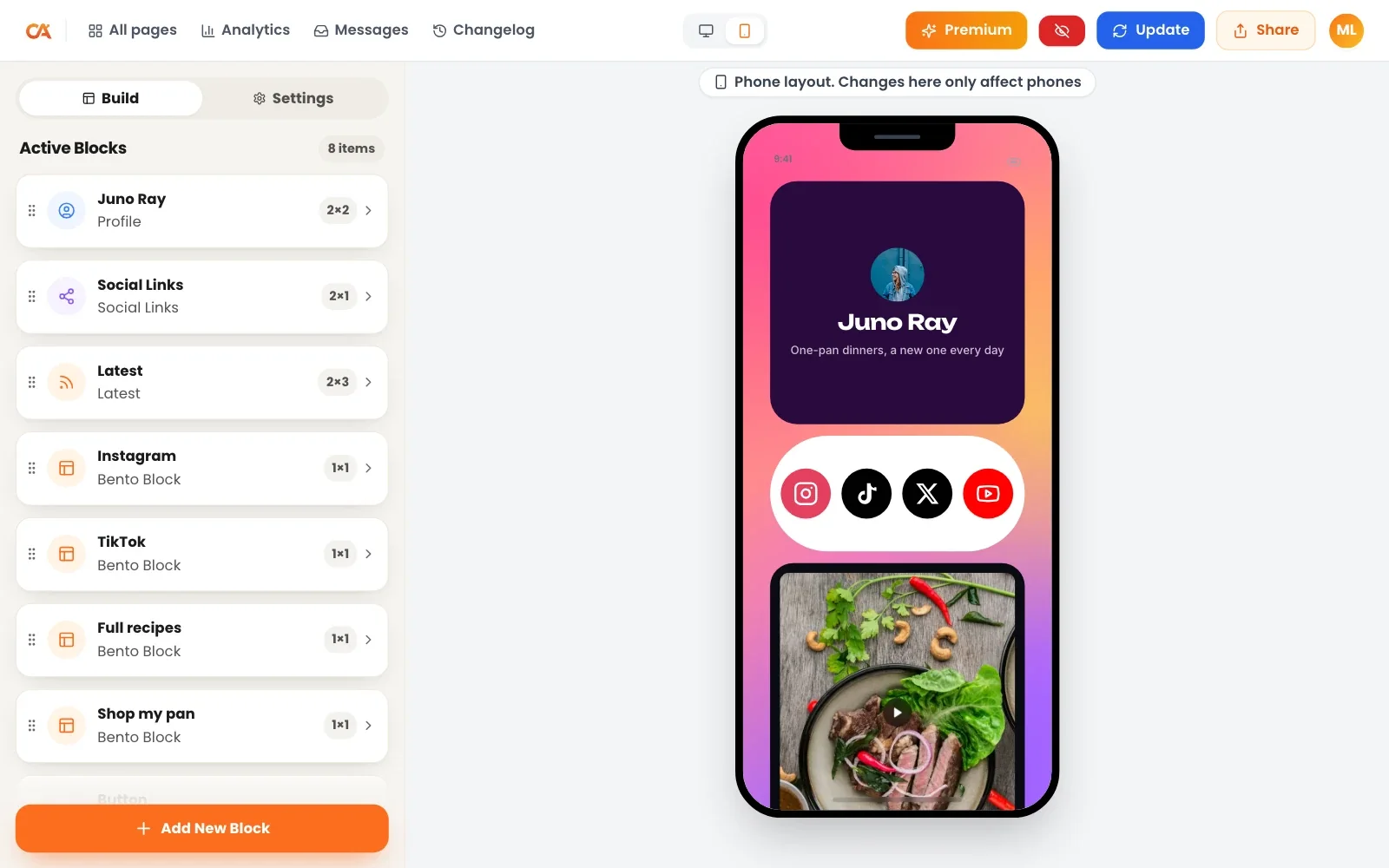
- Start from a creator template. The templates for creators are laid out for people who post every day, with your profile up top and platform tiles underneath.
- Add a Latest block. Paste your YouTube channel, podcast or blog, and the block always shows your newest video, episode or post. It updates on its own, so the top of your page is never stale.
- Add Social Badges for every profile you have, so viewers can follow you elsewhere in one tap.
- Add one offer. An Email Signup block, a free download or a discount code gives people a reason to stay.
- Publish, then paste your address into TikTok using the steps above.
Want to show a specific TikTok on your page? The Social Post block embeds posts from TikTok, Instagram, YouTube and more. Writing your bio? The free AI bio generator and our guide to writing a social media bio help with the words around the link.
Track What Your TikTok Bio Link Actually Does
A link in your bio is only useful if you know what happens after the tap. ContentLinks analytics shows views, visitors, clicks and click-through rate for every page, compared with the week before, free for the last 7 days.
On Premium, Traffic sources shows TikTok as its own source next to Instagram, YouTube, search and direct visits, and the Blocks list shows the click rate for every block, so you can see whether viewers want the recipe, the shop or the newsletter.
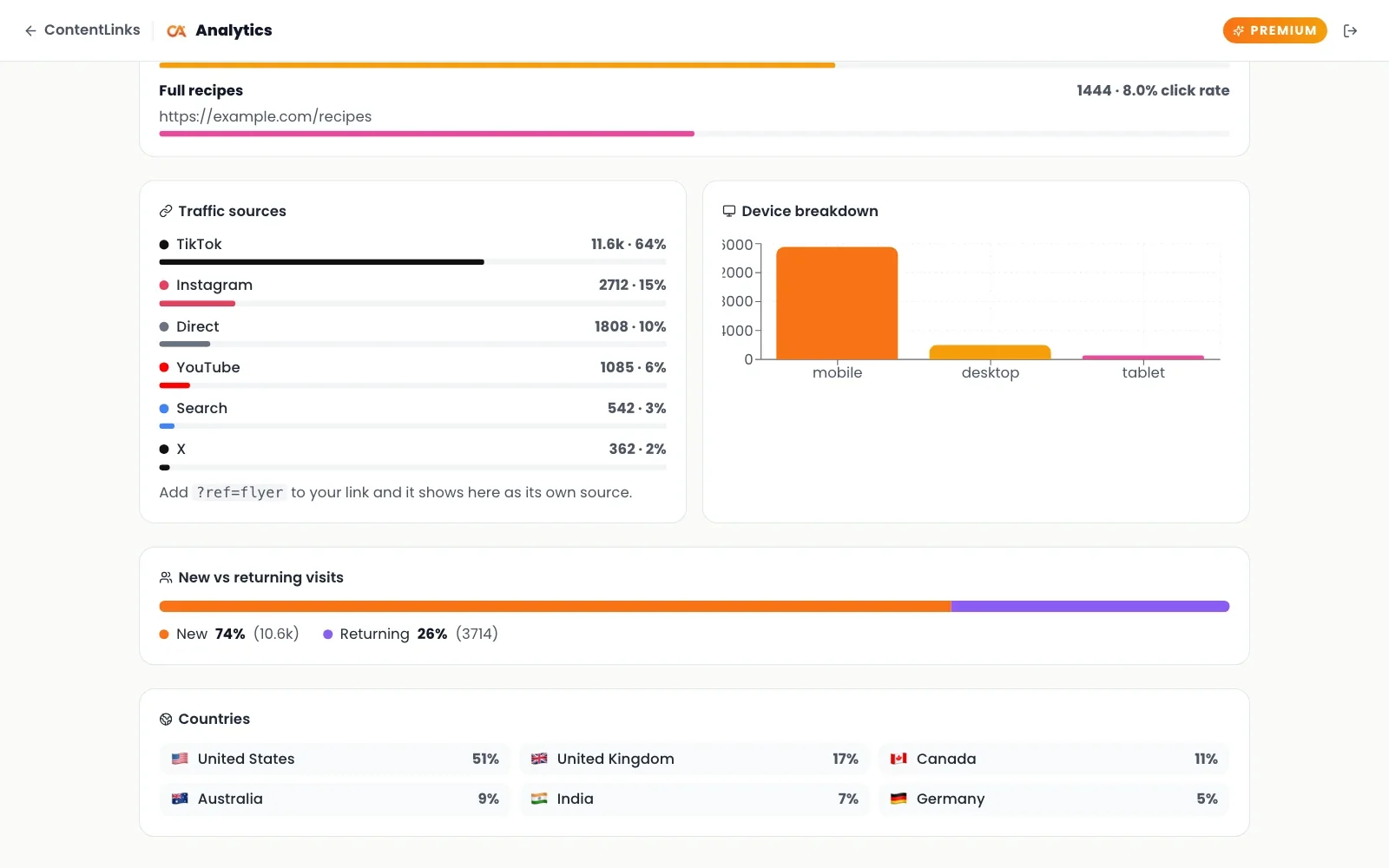
Tip: add ?ref=tiktok to the end of the link in your TikTok bio, for example contentanchor.com/yourname?ref=tiktok. Visits through that link then show up as their own source, even when the app hides where a visitor came from. The free UTM builder does the same for campaign links.
TikTok Bio Link Ideas by Creator Type
| You make | Put first on your page | Then add |
|---|---|---|
| Recipes and food | Today's recipe or newest video | A free meal plan, your cookware, your cookbook |
| Music | Your new single on every streaming app | Tour dates, merch, a fan email list |
| Lessons and coaching | A free guide or checklist | A booking link, your course, testimonials |
| Products or a small shop | Your best seller | A discount code, the full store, reviews |
| Art and design | Your portfolio | A commissions form, prints, your rates |
| Fitness | This week's free workout | Your programme, a sign-up form, a booking link |
Frequently Asked Questions
How many followers do you need to put a link in your TikTok bio?
TikTok's help center says 1,000 followers. The exception is a verified business account, which can add a link whatever its follower count.
Why can't I add a link to my TikTok bio?
Usually it's because the account is a personal account with fewer than 1,000 followers, or a business account that TikTok hasn't verified yet. Updating the app and checking Edit profile again is also worth a try.
How do I add a link to my TikTok bio?
In the TikTok app, tap Profile, then Edit profile, then tap Add next to Links. Paste the full address, starting with https://, and save.
Are links in TikTok captions and comments clickable?
No. Addresses typed into captions and comments show as plain text. Your profile link is the place viewers can tap through.
What should I link to from my TikTok bio?
Most creators link to a link in bio page, so one link can lead to their newest video, their shop, a newsletter and their other profiles. Put whatever your videos mention most often at the top.
Is a link in bio page free?
ContentLinks is free to start. The free plan includes one published page, 18 block types including Latest, Social Badges and Email Signup, and 7 days of analytics. Premium is $5 a month and adds more blocks, your own domain and deeper analytics.
Make the Most of Your One Link
Your TikTok bio link is the bridge between a viewer who liked one video and a fan who follows everything you do. Give it a page that's worth the tap. Build your free TikTok link in bio page, or read what ContentLinks is first.
Once it's live, turn those visitors into subscribers with our guide on how to grow your email list from social media.