
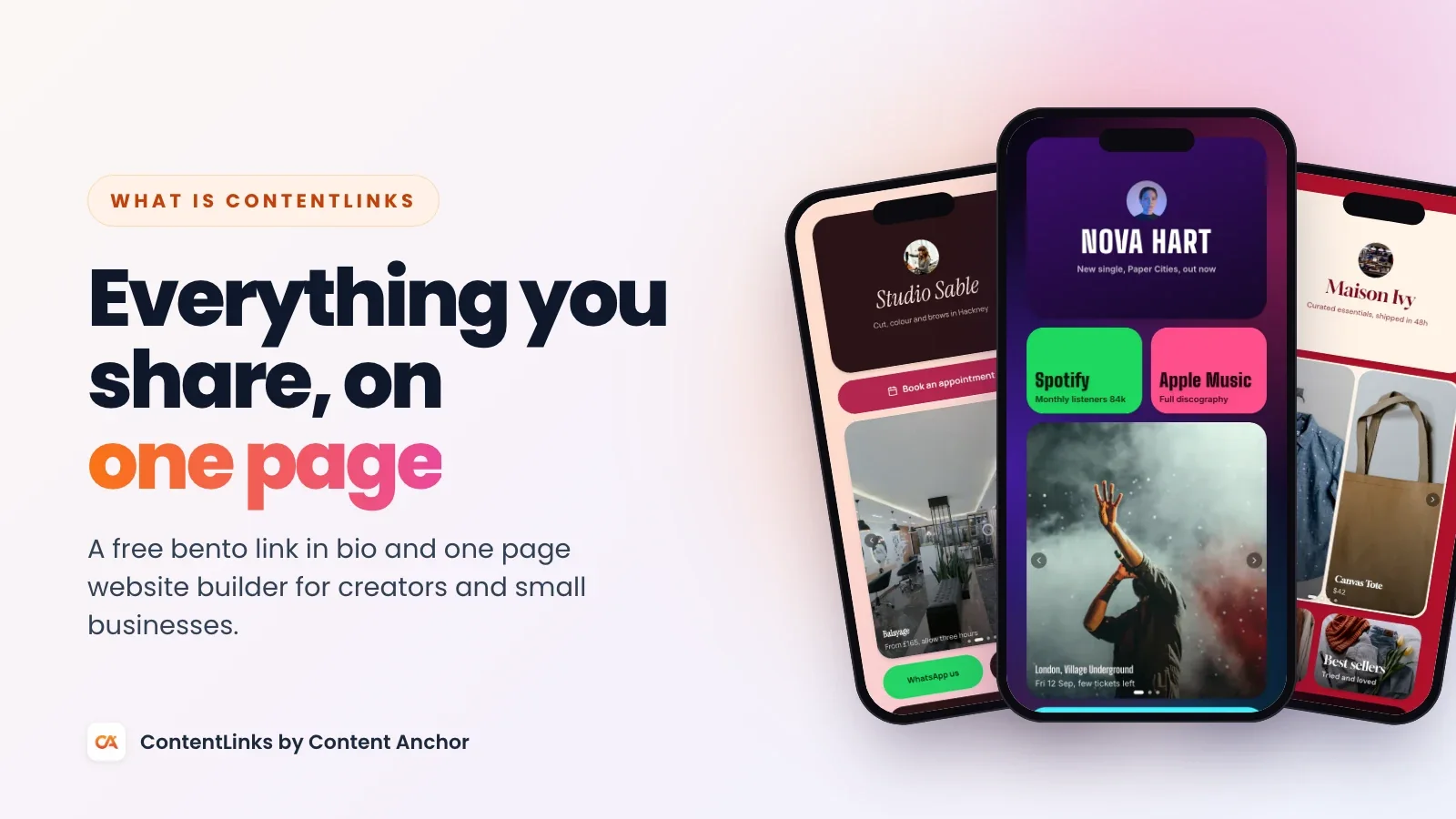
Maybe someone sent you a ContentLinks page, or you spotted "Made with ContentLinks" at the bottom of one and wondered what it is. It's the tool that built that page, and you can make one too, free.
This guide explains what ContentLinks is, who it's for, how a page goes from blank to live, and every feature you get on the free plan and on Premium. Where something costs money, we say so.
Short answer: ContentLinks is a free link in bio tool and one page website builder from Content Anchor. You build a page by placing blocks (links, photos, videos, products, forms, opening hours and more) on a drag-and-drop bento grid, publish it at contentanchor.com/yourname or on your own domain, and see how many people view and tap it. The free plan includes one page and 18 block types. Premium is $5 a month and unlocks all 30.
What Is ContentLinks?
ContentLinks is the page builder inside Content Anchor, the site that also makes free tools for creators. Content Anchor is the platform, and ContentLinks is the product you build pages with. That's why every page lives at contentanchor.com/yourname.
It does two jobs that usually need two different tools:
- A link in bio page. The one link that fits in your Instagram, TikTok, YouTube or LinkedIn profile, leading to everything else you want people to find. If the idea is new to you, start with what a link in bio tool is.
- A one page website. A real page that search engines can index, with your own meta title, description and structured data. For a freelancer, a creator or a small shop, it can be the whole website. Our guide to the one page website builder covers when one page is all you need.
Why a bento grid?
Most link pages are a stack of identical buttons. ContentLinks lays your page out as a bento grid, named after the Japanese lunch box with its neat compartments: a big photo beside two small tiles, a wide video under them, a row of buttons below. You decide what's big, so the most important thing on your page looks like it.
You can still build a plain stack of buttons if that's what you want. The grid just lets you do more. See finished pages in the ContentLinks examples.
Who Uses ContentLinks?
| You are | What your page does | Good place to start |
|---|---|---|
| Creator or influencer | Sends followers to your newest video, your shop and your brand work | Templates for creators |
| Musician or podcaster | Puts every streaming app, tour date and new episode on one page | Musician templates |
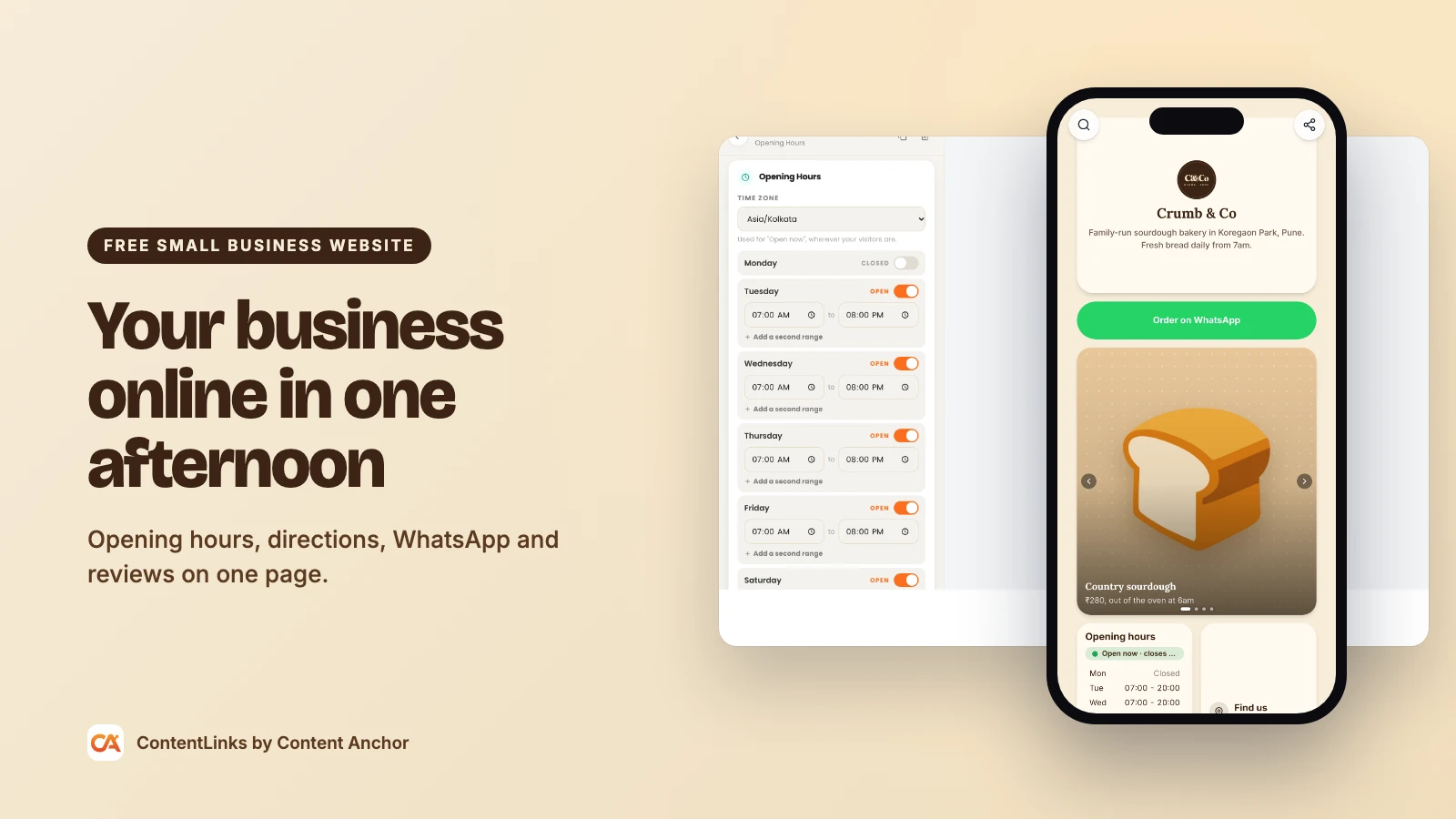
| Restaurant, salon or local shop | Shows opening hours, directions, the menu and a WhatsApp button | Small business templates |
| Freelancer or photographer | Works as a portfolio with a clear way to hire you | Templates for freelancers |
| Coach or consultant | Takes enquiries and bookings, with testimonials as proof | Coach templates |
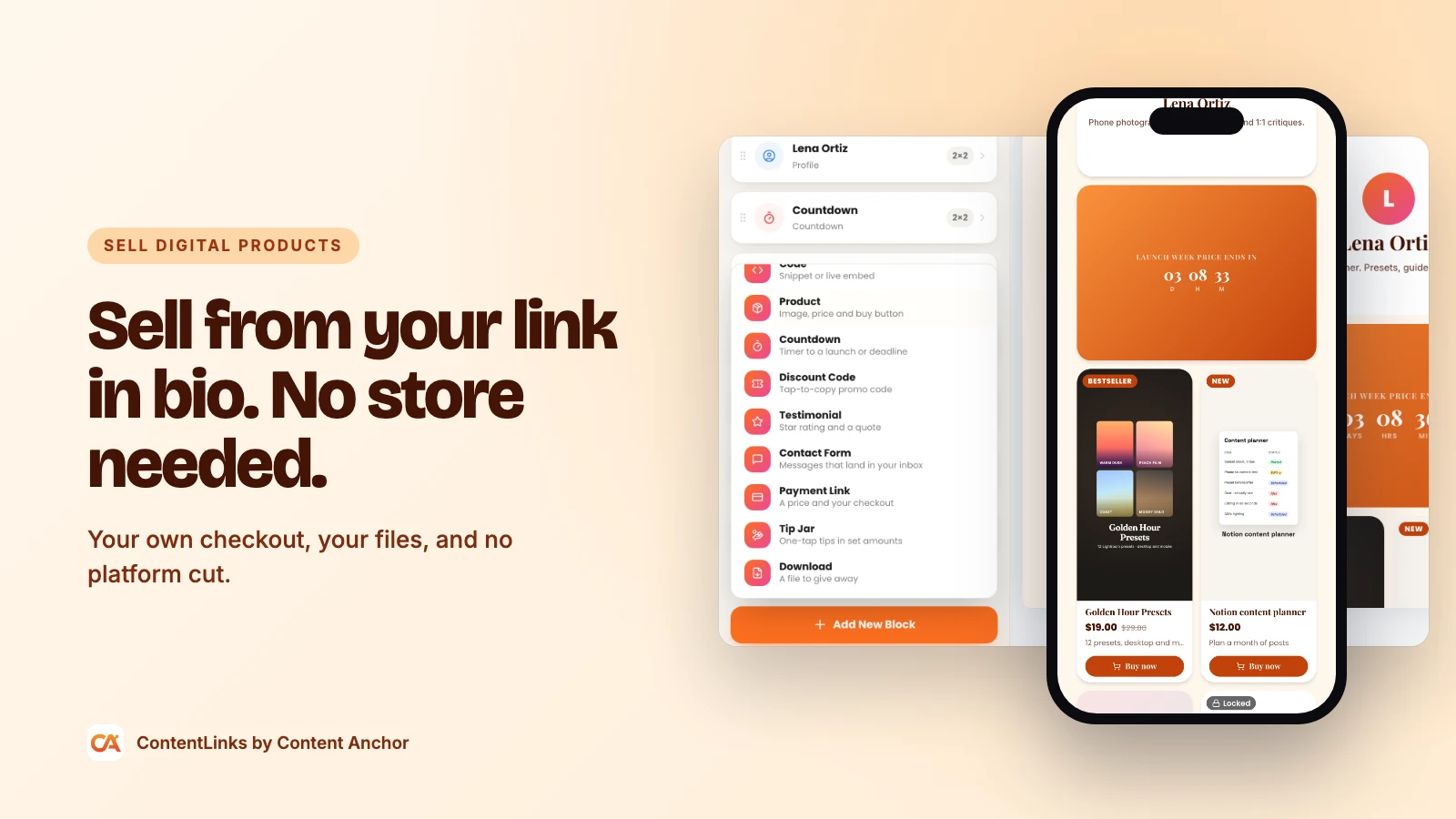
| Seller of digital products | Sells ebooks, presets and templates through your own checkout | How to sell digital products |
How ContentLinks Works
Here's the whole journey, from signing up to knowing which link people tap most.
1. Claim your address
Pick the name you want after contentanchor.com/, for example contentanchor.com/yourname, and sign up free. There's no card to enter. New accounts get 14 days of Premium, so you can try every block and template before deciding anything.
2. Start from a template, your Linktree or AI
You never start from a blank screen. There are three ways in:
- A template. There are 24, 12 of them free, each a finished design for a job: musician, podcast, restaurant, salon, real estate agent, shop, portfolio and more. Swap in your words and photos and it's yours.
- Your Old Linktree. Paste your Linktree address and your name, bio, photo, links and social icons come across. Then pick a look and publish. If you're weighing the move, read ContentLinks vs Linktree.
- The AI page builder (Premium). Describe yourself or your business and get a designed page to edit.
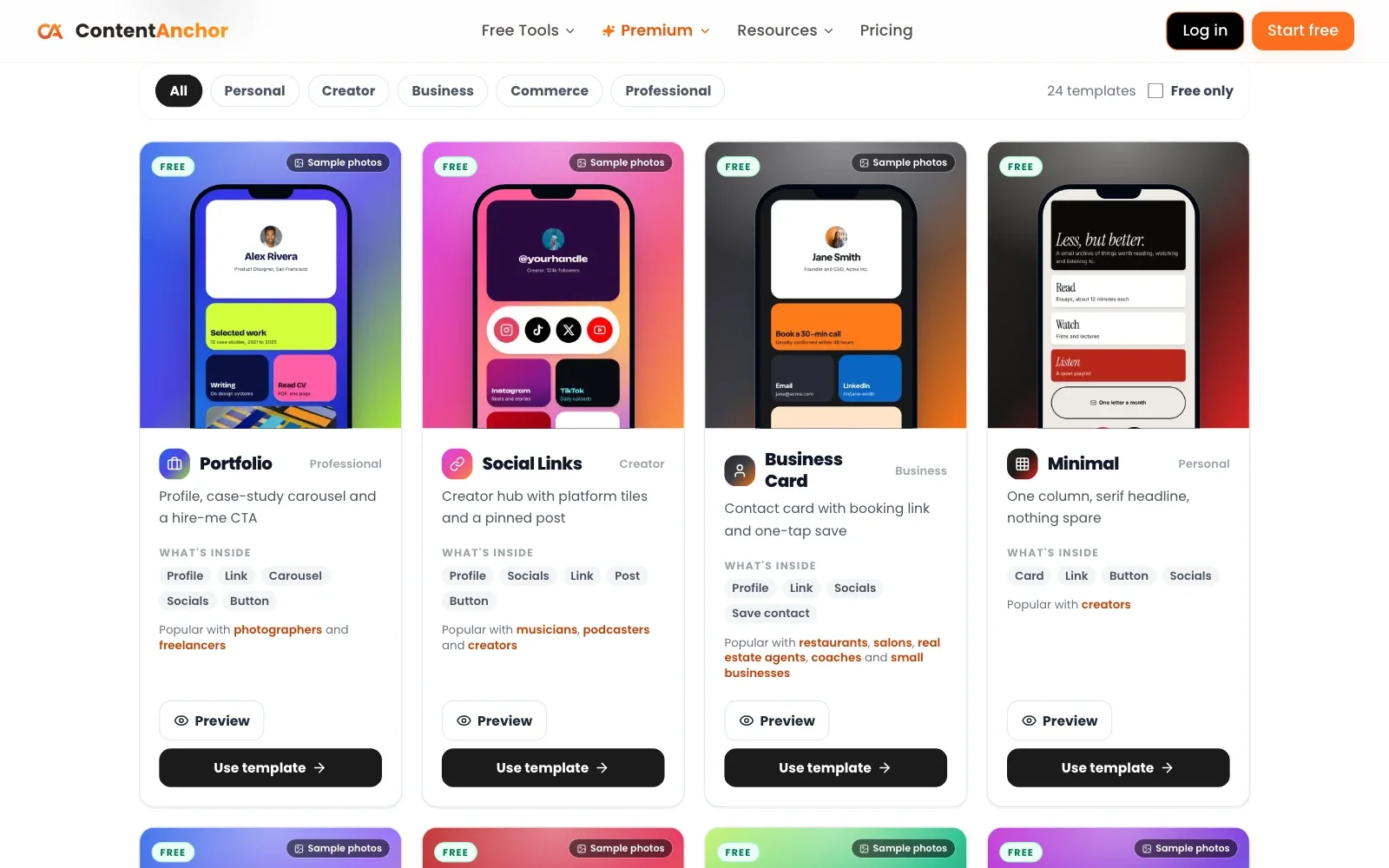
Browse every design, with filters for creators, businesses and shops, in the ContentLinks templates gallery.
3. Build on the bento grid
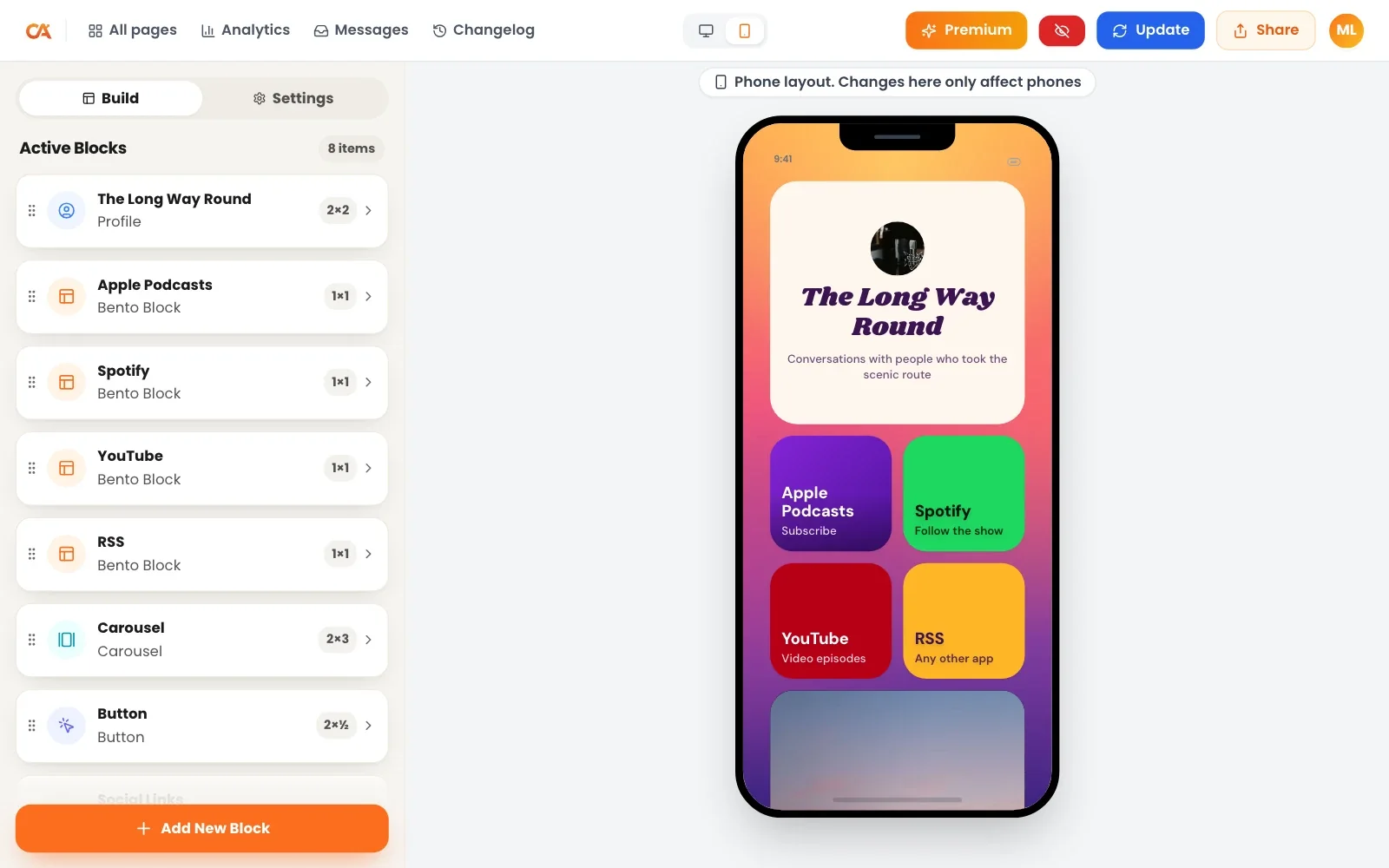
Add blocks from the sidebar, drag them into place and resize them on the grid. Each block has its own settings: text, colours, font, link, and a thumbnail if you want one.
A few things make this faster than it sounds:
- Paste a link and it fills itself in. Drop a URL into a card and ContentLinks pulls in the site's title, description and picture. Undo it if you'd rather write your own.
- Every block has its own font. All 160+ fonts are on the free plan, with size, weight and line spacing controls.
- Stuck on your bio? The free AI bio generator writes five versions to start from.
4. Make it look like you
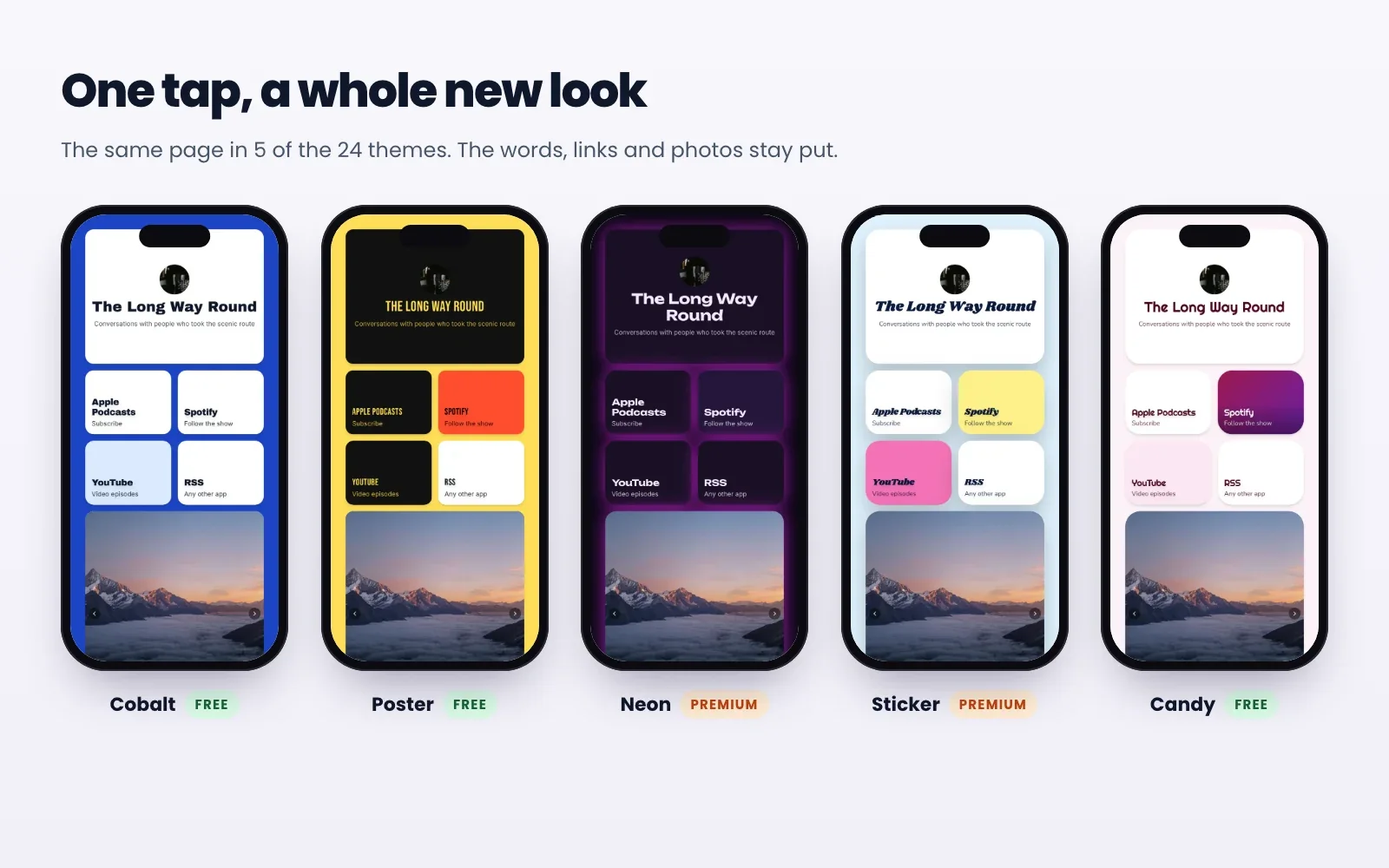
Themes restyle every block in one tap. There are 24 (10 free), from clean Paper and Mono to loud Poster and Neon. Your words, links, photos and layout stay exactly where they are, and Undo puts the old look back.On top of a theme you can pick from 23 wallpaper backgrounds or a gradient, add a Hero header (a big photo, a banner, a cutout of you or a shaped frame, on Premium), and bring text to life with the Animation block's 11 effects, like typing, aurora and word rotate (also Premium).
5. Publish and share
Press Publish and your page is live at contentanchor.com/yourname. On Premium you can put it on a domain you own, like yourname.com or links.yourname.com. You add two DNS records, and ContentLinks checks them and turns on HTTPS for you.
Then the Share panel gives you everything you need to get the link out:
- A QR code as PNG, or SVG for print. Scans are counted in your analytics.
- A Story image (1080x1920) with your QR code, ready to post.
- An email signature with your link.
- Step-by-step notes on where the link goes in Instagram, TikTok and other apps. Our guide on how to build a link in bio page covers this too.
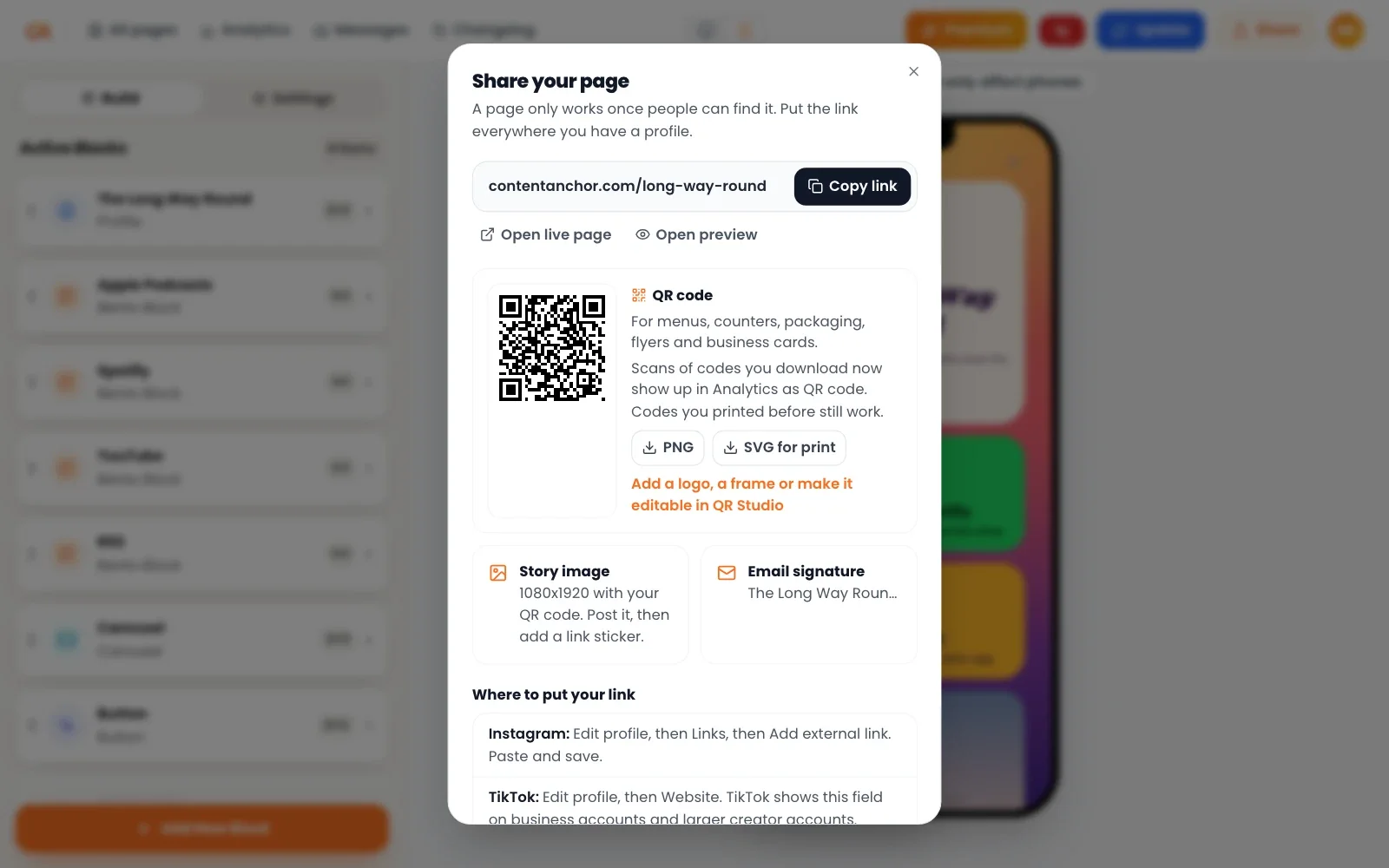
Visitors get a share button on your page as well, so they can send it on WhatsApp or copy the link in one tap.
6. See what works
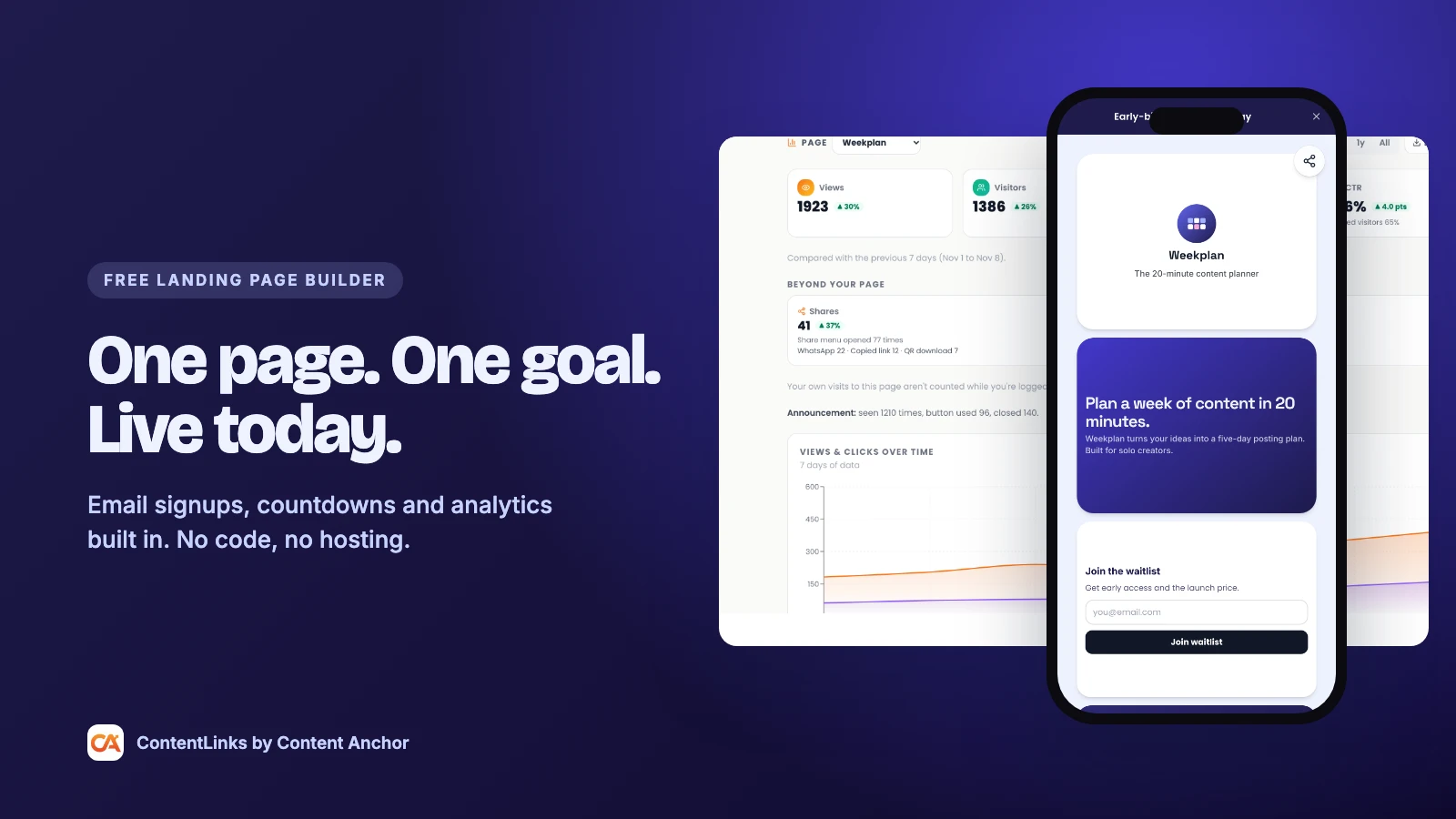
Analytics shows how your page is doing, each number compared with the period before.
- Free: views, visitors, clicks, click-through rate, QR scans and shares for the last 7 days, with a daily chart.
- Premium: a live feed of the last 30 minutes, click rate for every block, top links, where visitors came from, devices, countries, new versus returning visitors, history up to all time, CSV export, and your own Google Analytics 4 and Meta Pixel.
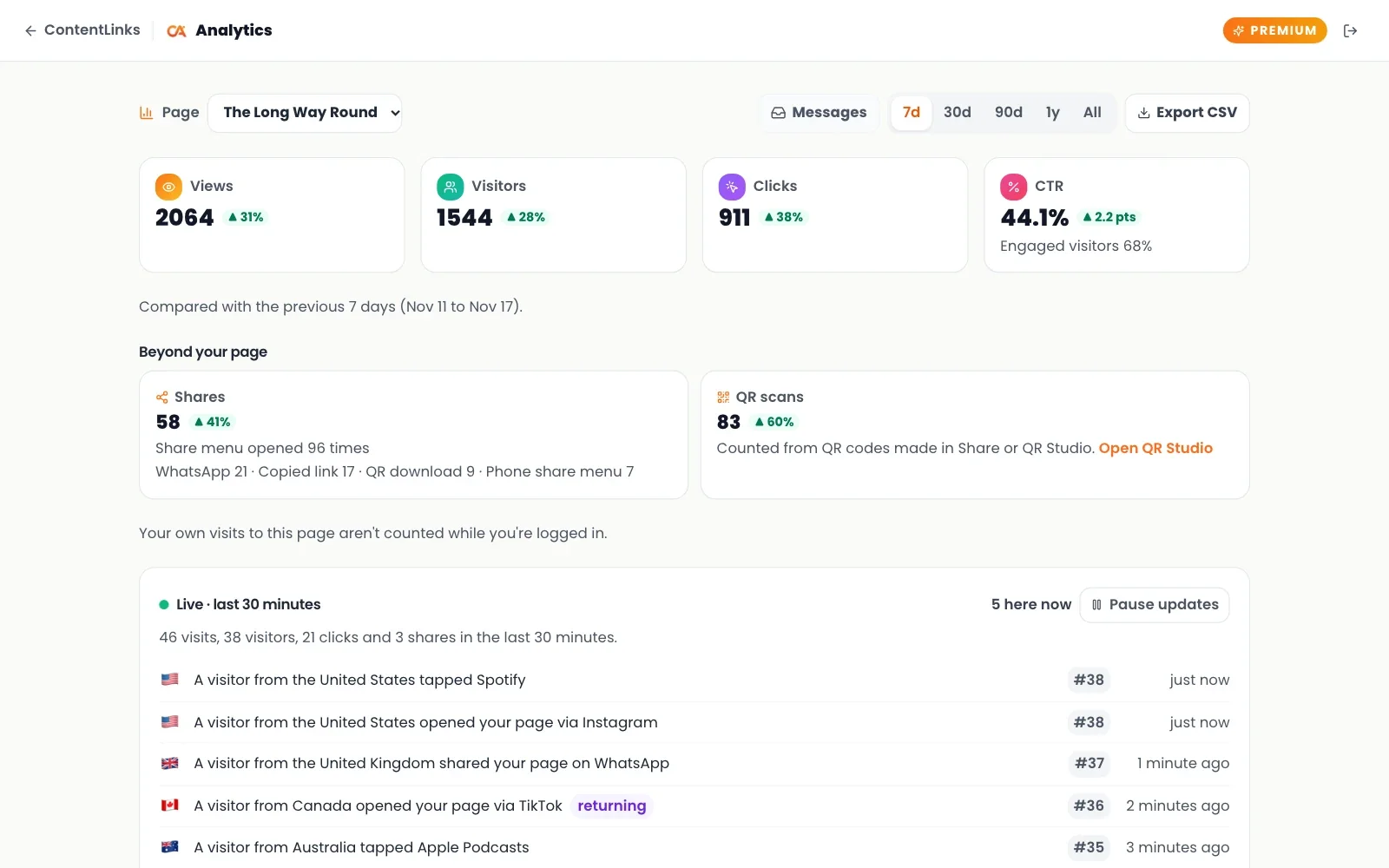
Every Monday you also get a short email with last week's numbers, and the dashboard celebrates milestones like your first visitor and your first 1,000 views. ContentLinks counts all of this without setting cookies or storing IP addresses.
ContentLinks Features
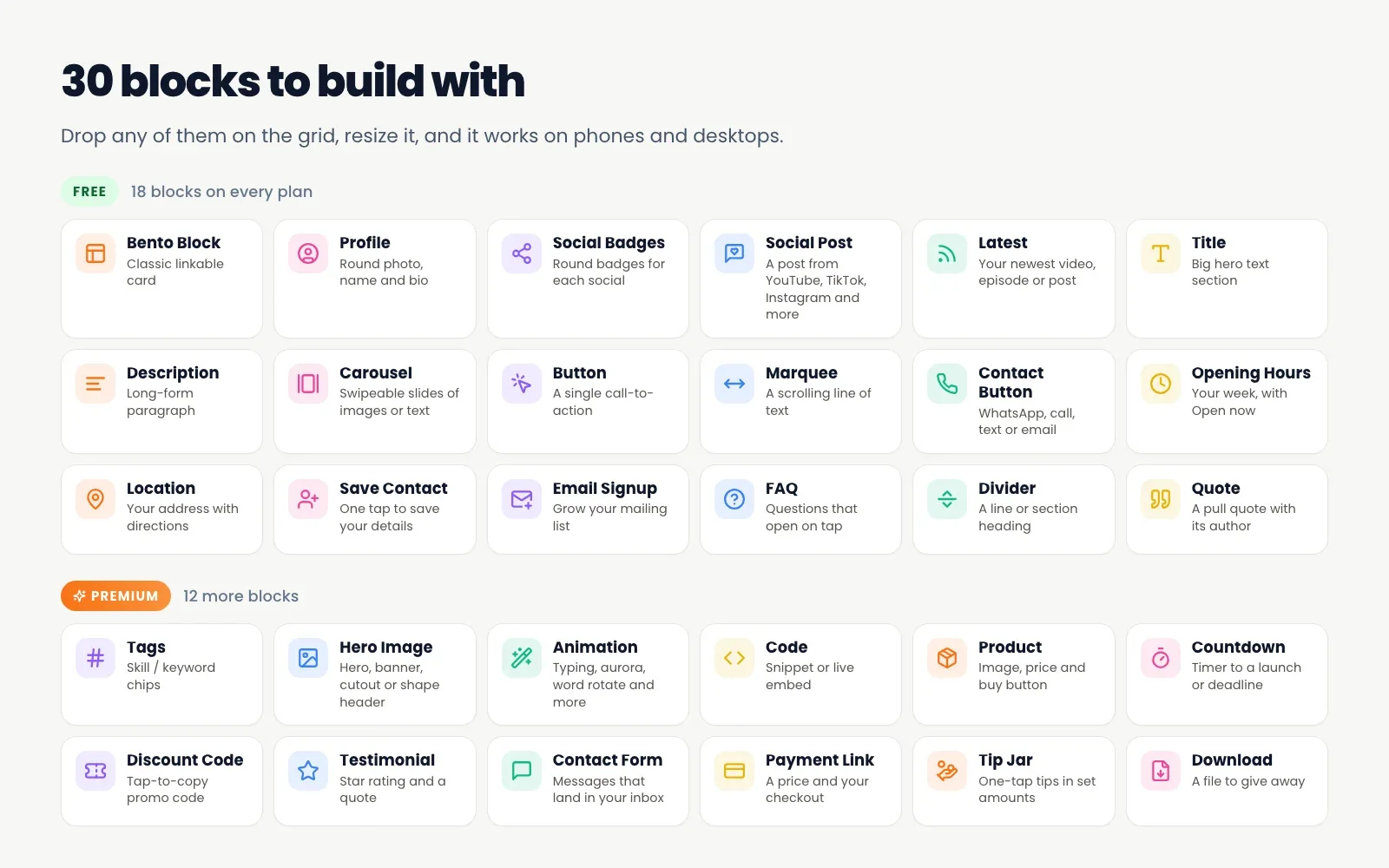
30 block types
Blocks are what you build with. 18 are free: Bento Block (a card for any link, image or text), Profile, Social Badges, Social Post, Latest, Title, Description, Carousel, Button, Marquee, Contact Button, Opening Hours, Location, Save Contact, Email Signup, FAQ, Divider and Quote.
12 more come with Premium: Tags, Hero Image, Animation, Code, Product, Countdown, Discount Code, Testimonial, Contact Form, Payment Link, Tip Jar and Download.
Grow your audience
- Email Signup (free): collect emails on your page. Every signup lands in a subscribers list you can download as a CSV.
- Latest (free): paste your YouTube channel, podcast, Substack or blog, and the block always shows your newest video, episode or post. It updates on its own, usually within 30 minutes.
- Social Post (free): embed a post from YouTube, TikTok, Instagram, X, Threads, LinkedIn, Pinterest, Spotify and more.
- Announcement: a bar across the top of your page is free. On Premium it can also be a popup or a corner card, run on a schedule and count down to a date.
- Search engine settings (free): write your own meta title and description, add Person or Organization structured data, and choose whether search engines index the page.
Building a page for one launch or one offer? Our guide on how to make a landing page that converts shows how to put these blocks in the right order.
Sell and get paid
- Product: a photo, price, old price and buy button, with the discount badge worked out for you.
- Payment Link: a price and a button to your own Stripe, PayPal, Gumroad, Lemon Squeezy, Mercado Pago or UPI checkout.
- Tip Jar: one-tap tips in amounts you set.
- Download: give away or deliver a file up to 25 MB.
- Discount Code and Countdown: a tap-to-copy code and a timer to your launch or sale.
- Gates: lock a block until a visitor enters a code, leaves their email or confirms they're 18 or older.
All of these are Premium. ContentLinks never touches the money: buyers pay you directly, and there's no platform cut.
Made for local businesses
A shop, café or salon needs to answer "Are you open?", "Where are you?" and "How do I reach you?". These blocks are all free:
- Contact Button: opens WhatsApp, a call, a text or an email in one tap, and can float in the corner of the page.
- Opening Hours: your week, with an "Open now" label in your own time zone.
- Location: your address, a Get directions button and an optional map.
- Save Contact: visitors add your details to their phone's contacts in one tap.
On Premium, the Contact Form emails each message to you and keeps it in an inbox in your dashboard. For a full walkthrough, see how to build a free small business website.
QR codes
QR Studio makes QR codes for your page or any link, with your logo, colours and a frame. Static codes are free and unlimited. On Premium, dynamic codes point at a short link you can change after printing, and they count every scan. Not sure which kind you need? Read our dynamic QR code guide.
Control and safety nets
- Scheduled blocks (Premium): choose when a block appears and disappears, for a launch, a sale or an event.
- Version history (Premium): every publish saves a snapshot, and you can restore any of your last 20.
- Country-aware blocks (Premium): show a block only in chosen countries, or move it to the top there.
- Page language (free): the labels ContentLinks adds, like Share and Open now, can show in English, Spanish, French, Portuguese or Hindi.
- Attention effects (free): make one block pulse, glow or bounce, add a ribbon like "New" or "Sale", or show a progress bar towards a goal.
- Search (free): pages with 10 or more blocks get a search button so visitors find things fast.
The ContentLinks changelog lists everything new as it ships.
ContentLinks Free vs Premium
| Feature | Free | Premium |
|---|---|---|
| Price | $0, with no time limit | $5 a month, or $48 a year |
| Published pages | 1 | Unlimited |
| Block types | 18 | All 30 |
| Templates | 12 | All 24 |
| Themes | 10 | All 24 |
| Fonts and wallpapers | 160+ fonts, 23 wallpapers | 160+ fonts, 23 wallpapers |
| Address | contentanchor.com/yourname | Your own domain too (one per account) |
| Analytics | Last 7 days | Up to all time, live feed, CSV, GA4 and Meta Pixel |
| QR codes | Static, unlimited | Static plus dynamic codes with scan counts |
| AI page builder | Not included | Included |
| Version history | Not included | Last 20 versions |
| "Made with ContentLinks" badge | Shown | Can be hidden |
How ContentLinks Compares to Other Link in Bio Tools
We've written detailed, sourced comparisons with the tools people most often switch from. The short version, as checked in November 2026:
- ContentLinks vs Linktree: Linktree's help center says it doesn't support custom domains. ContentLinks Premium lets you connect one.
- ContentLinks vs Beacons: Beacons charges a 9% seller fee on its Free and Creator plans. ContentLinks takes no cut on any plan.
- ContentLinks vs Liinks: Liinks has no free plan, so a page only goes live with a subscription. ContentLinks has a free plan with no time limit.
- Bento.me alternative: Bento.me shut down in February 2026. ContentLinks keeps the bento grid it was known for.
Want the wider field? See our roundup of the 10 best link in bio tools.
Frequently Asked Questions
What is ContentLinks used for?
People use ContentLinks for the link in their social media bio, as a one page website, as a portfolio, as a small business page with opening hours and directions, or as a simple shop that sells through their own checkout. One page can do several of these at once.
Is ContentLinks free?
Yes. The free plan has no time limit and needs no card: one published page, 18 block types, 12 templates, 10 themes, all 160+ fonts, the search engine settings and 7 days of analytics. Premium costs $5 a month or $48 a year, and new accounts get 14 days of it free.
What is the difference between Content Anchor and ContentLinks?
Content Anchor is the platform and the website, home to free tools for creators. ContentLinks is the link in bio and one page website builder inside it, which is why pages live at contentanchor.com/yourname.
Can I use my own domain with ContentLinks?
Yes, on Premium. You can connect a domain like yourname.com or a subdomain like links.yourname.com. You add two DNS records, and ContentLinks checks them and switches on HTTPS for you. It's one domain per account.
Can I move my links from Linktree to ContentLinks?
Yes. When you start a new page, paste your Linktree address, and your name, bio, photo, links and social icons are copied over. Then pick a template or theme and publish.
Does ContentLinks take a cut of my sales?
No. Payment Link, Product and Tip Jar send buyers to your own checkout, such as Stripe, PayPal, Gumroad, Lemon Squeezy, Mercado Pago or UPI, and they pay you directly. ContentLinks never handles the money.
Will my ContentLinks page show up on Google?
It can. Pages are rendered on the server, and once yours has your name, a photo, at least three of your own links and an address you chose, search engines can index it. You write the meta title and description yourself, and you can switch indexing off.
What happens if I stop paying for Premium?
Nothing is deleted. Your oldest published page stays live with the Premium blocks and styling hidden, and your other pages pause. When you upgrade again, everything comes back as you left it.
Does ContentLinks track my visitors?
It counts views, visitors and taps so you can see what works, without setting cookies or storing IP addresses. Unique visitors come from a daily, salted fingerprint that is hashed on the server.
Make Your First ContentLinks Page
The fastest way to understand ContentLinks is to try it. Claim your name, pick a template and publish, all on the free plan, in less time than it took to read this. Start your free ContentLinks page, or see everything the link in bio tool can do first.
Building something specific? Start with our guides to a portfolio website, a small business website or selling digital products.